Nike · 2016–2018·Senior Product Designer
- Domain
- Content management, Enterprise tools, Publishing workflows, Localization
- Surface
- Web
- Tool stack
- Sketch
Nike CMS (IRIS)
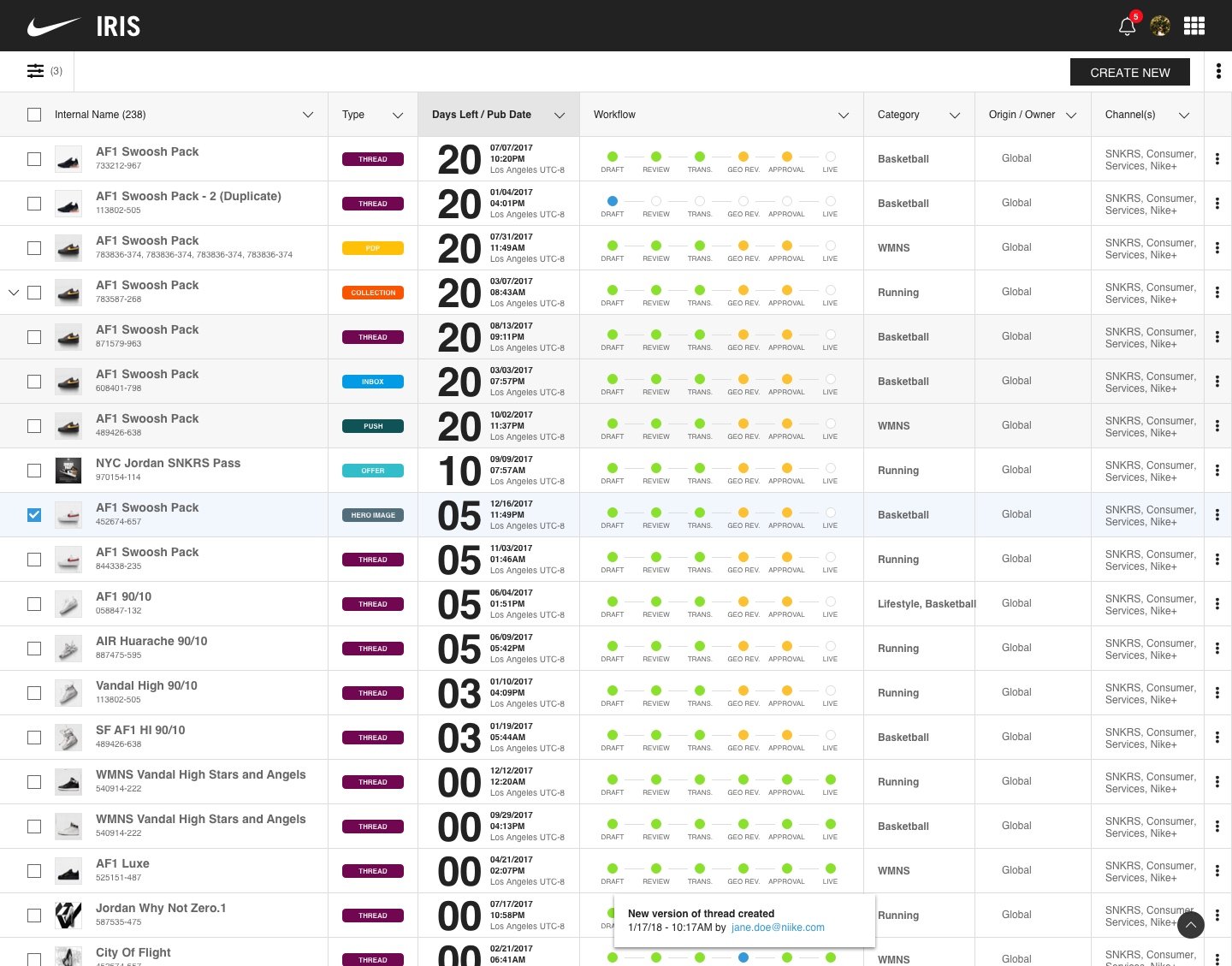
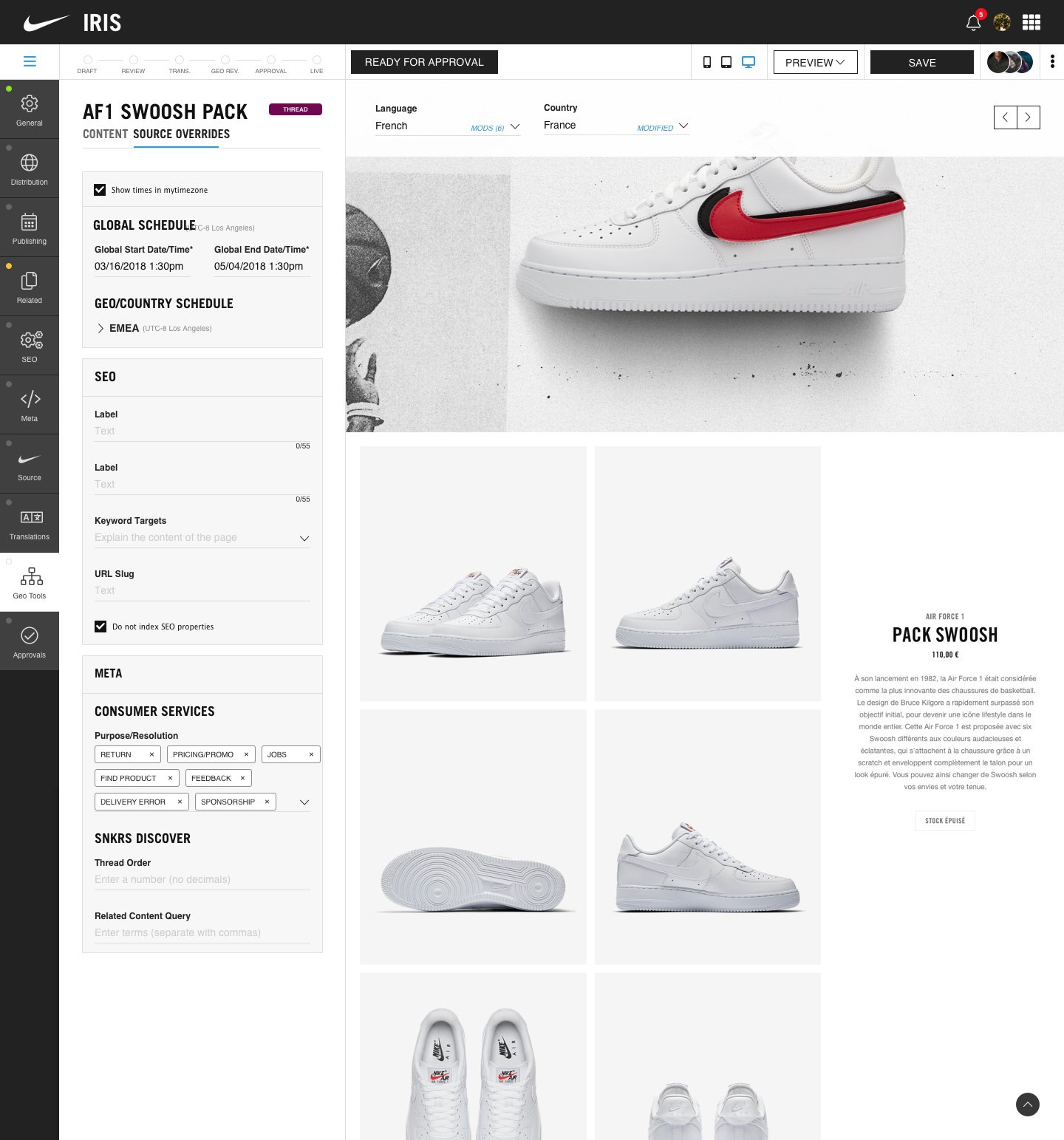
The Nike CMS (content management system) publishes content globally across multiple websites and apps, including nike.com, SNKRS, Nike+, and more. It includes the entire publishing workflow, from authoring to translations, regional schedule offsets, SEO tools, approval gateways, and more.
I was the sole designer on the Nike CMS, and I am proud that, to this day, the foundations of the system I designed are still in use.
IRIS
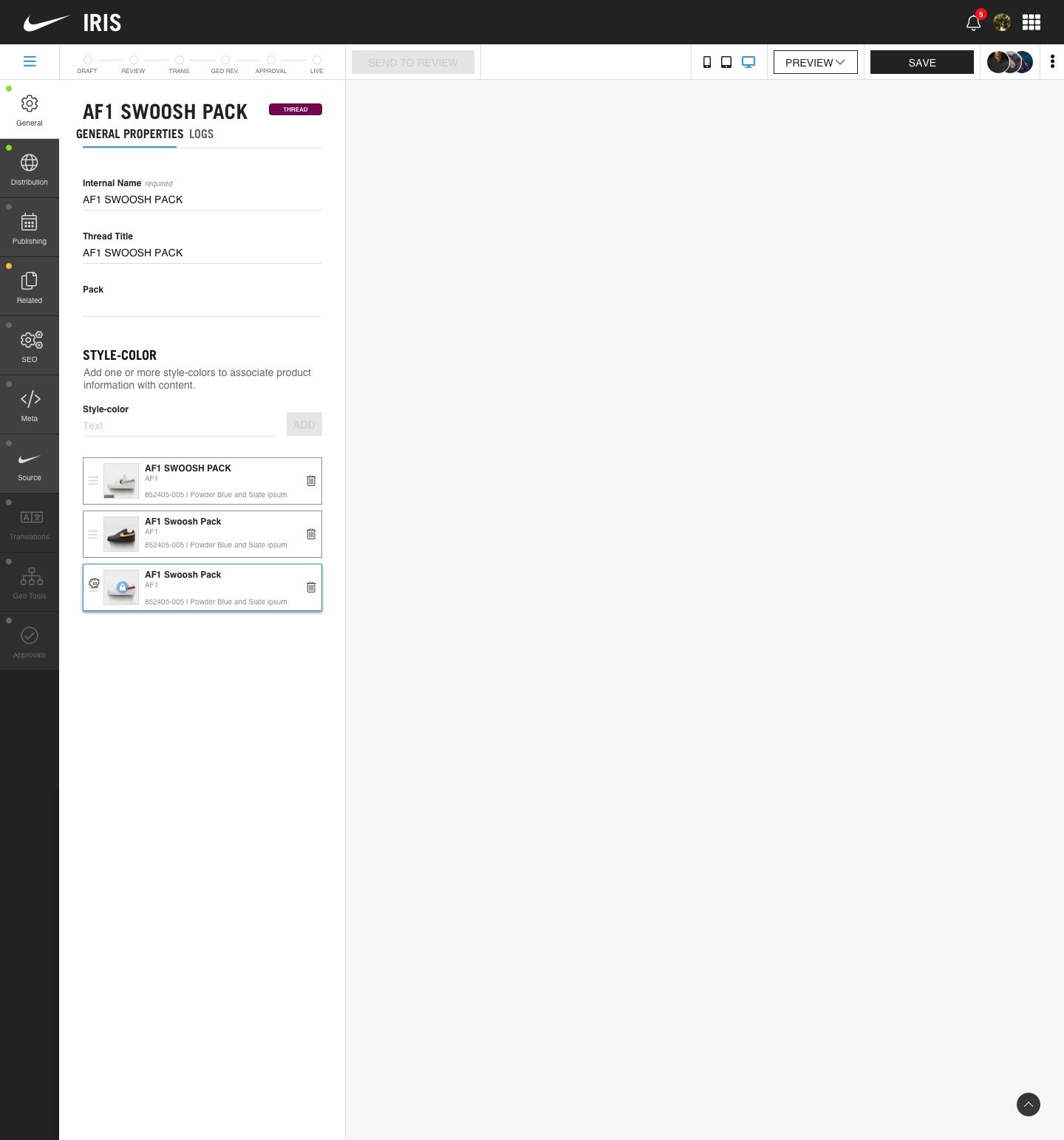
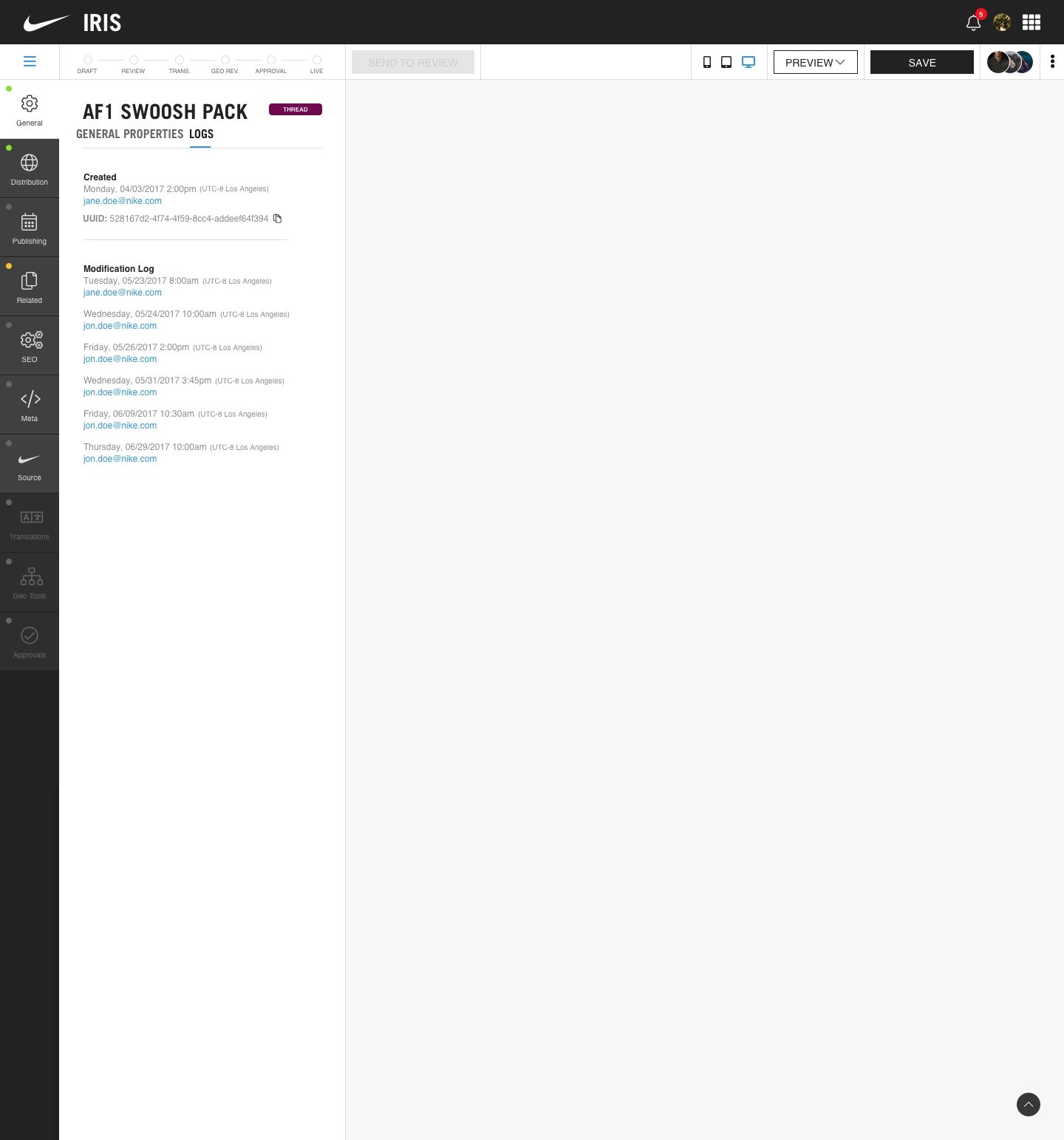
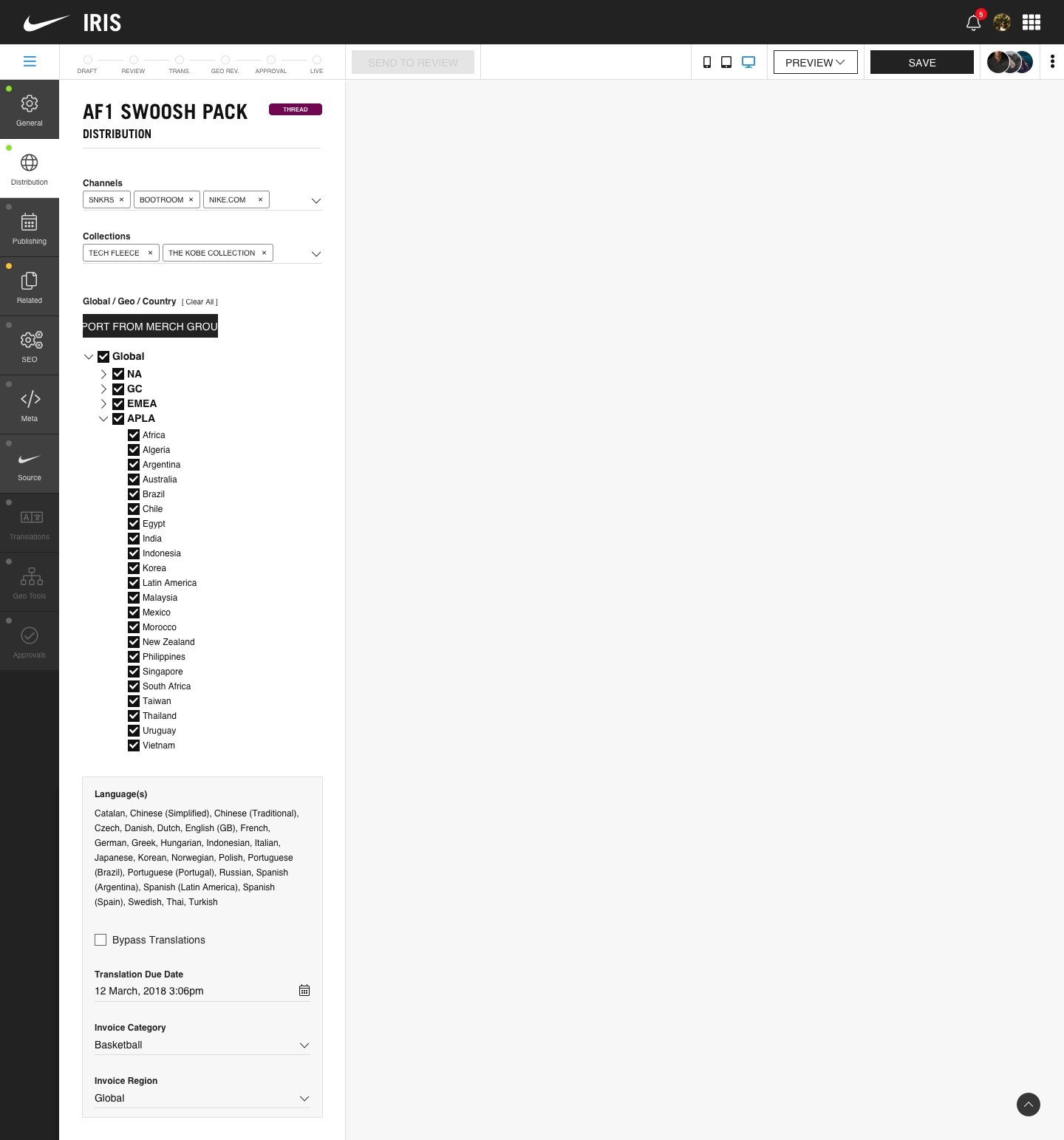
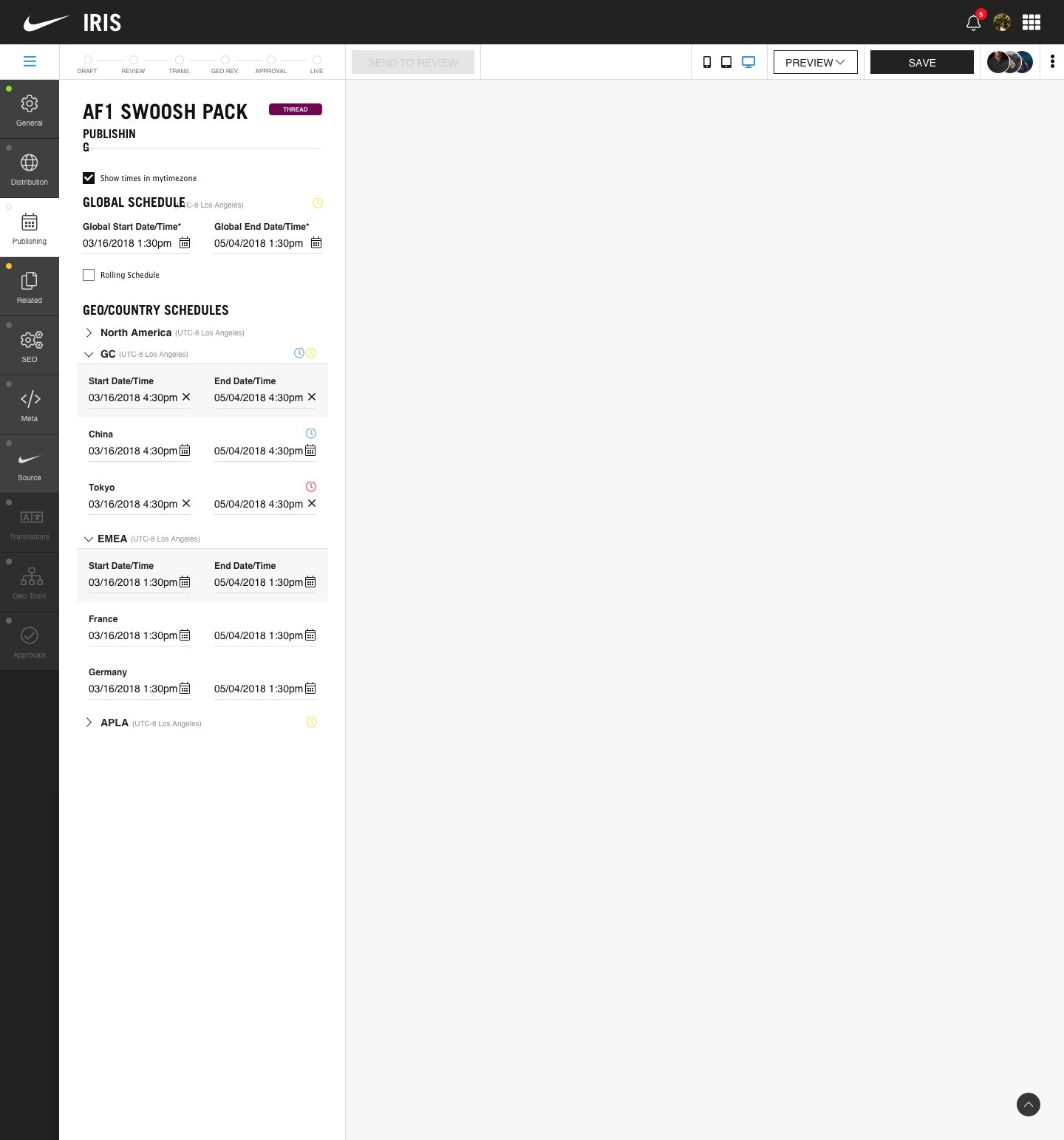
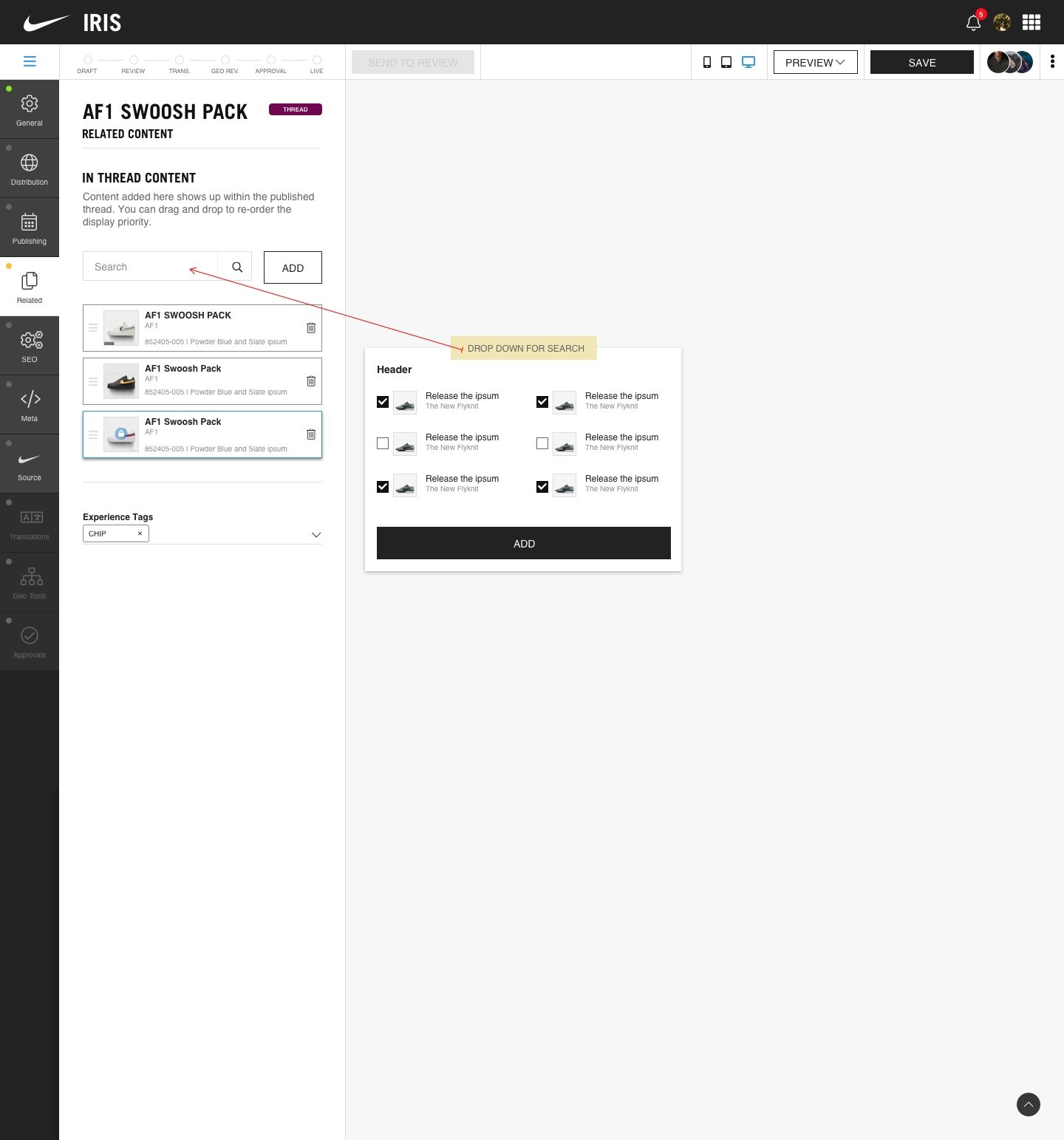
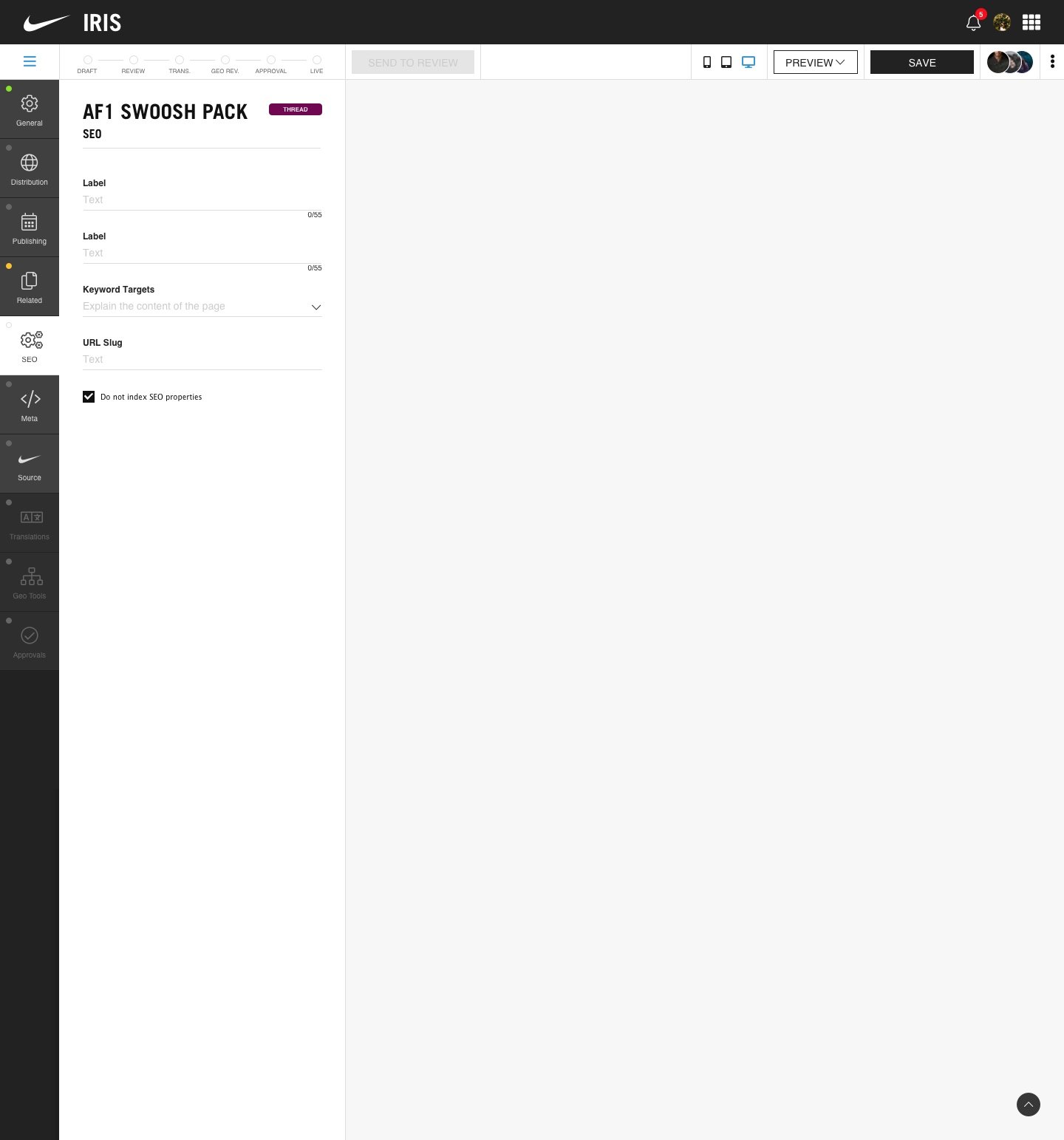
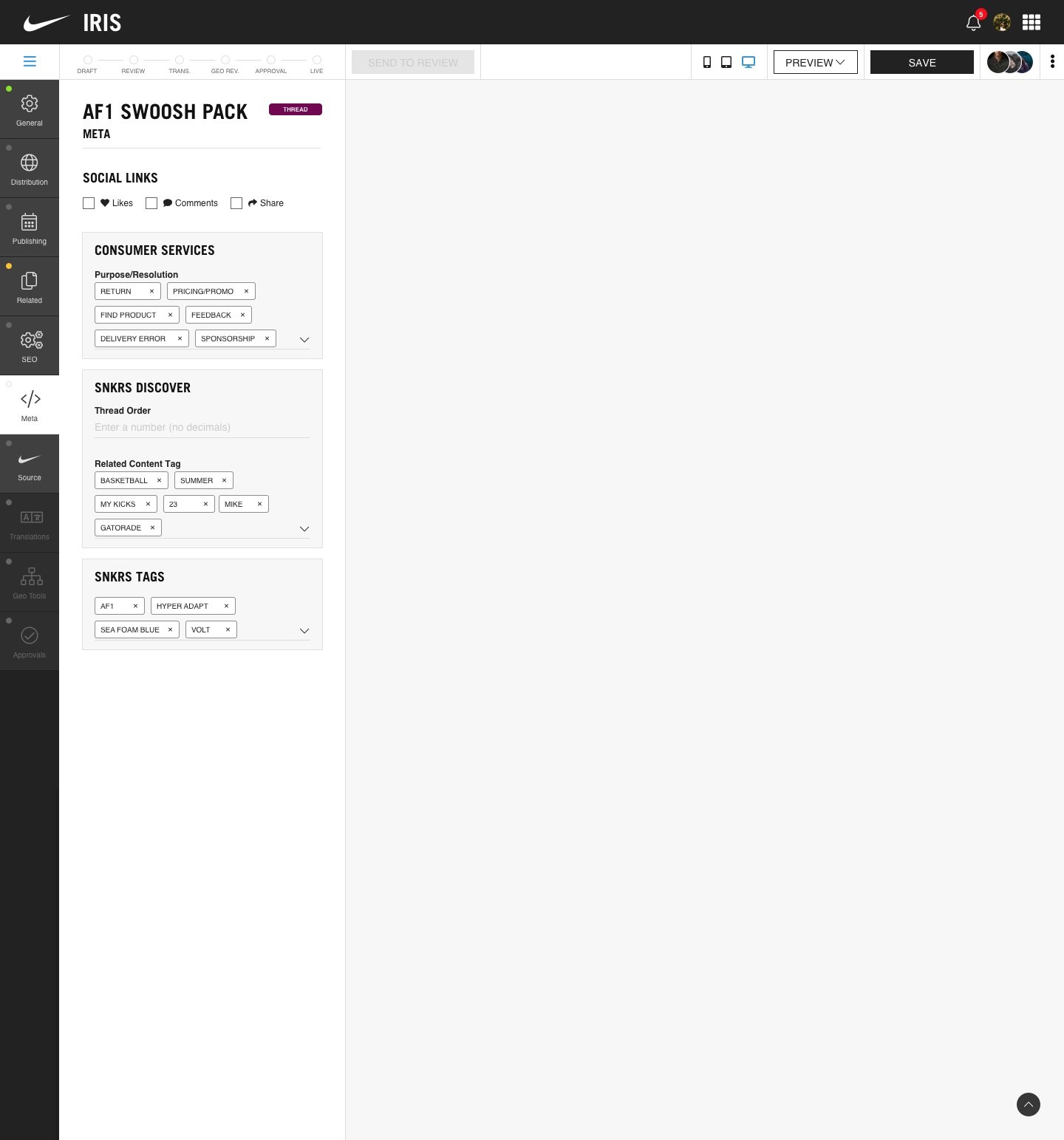
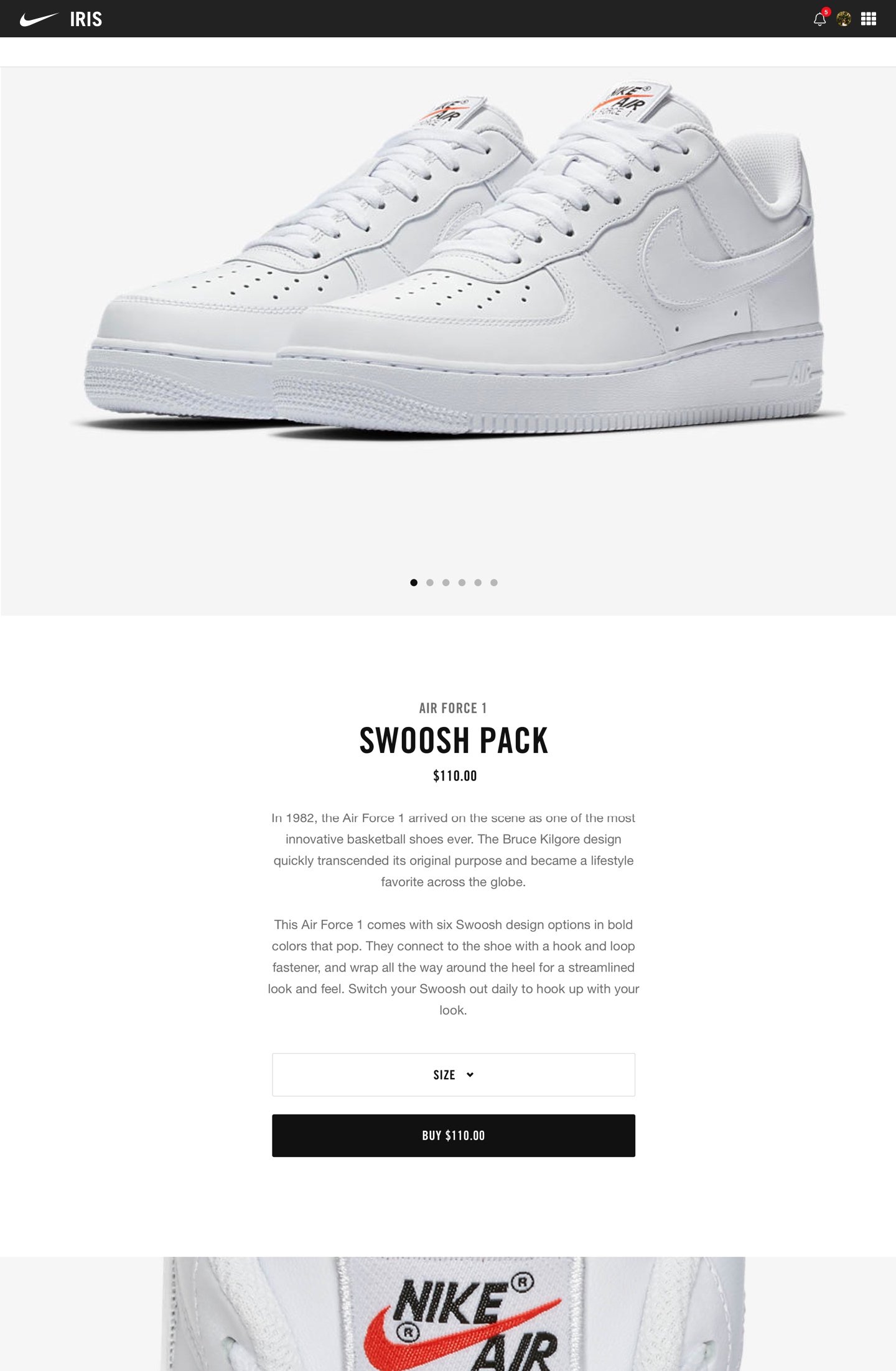
Swipe to change screens
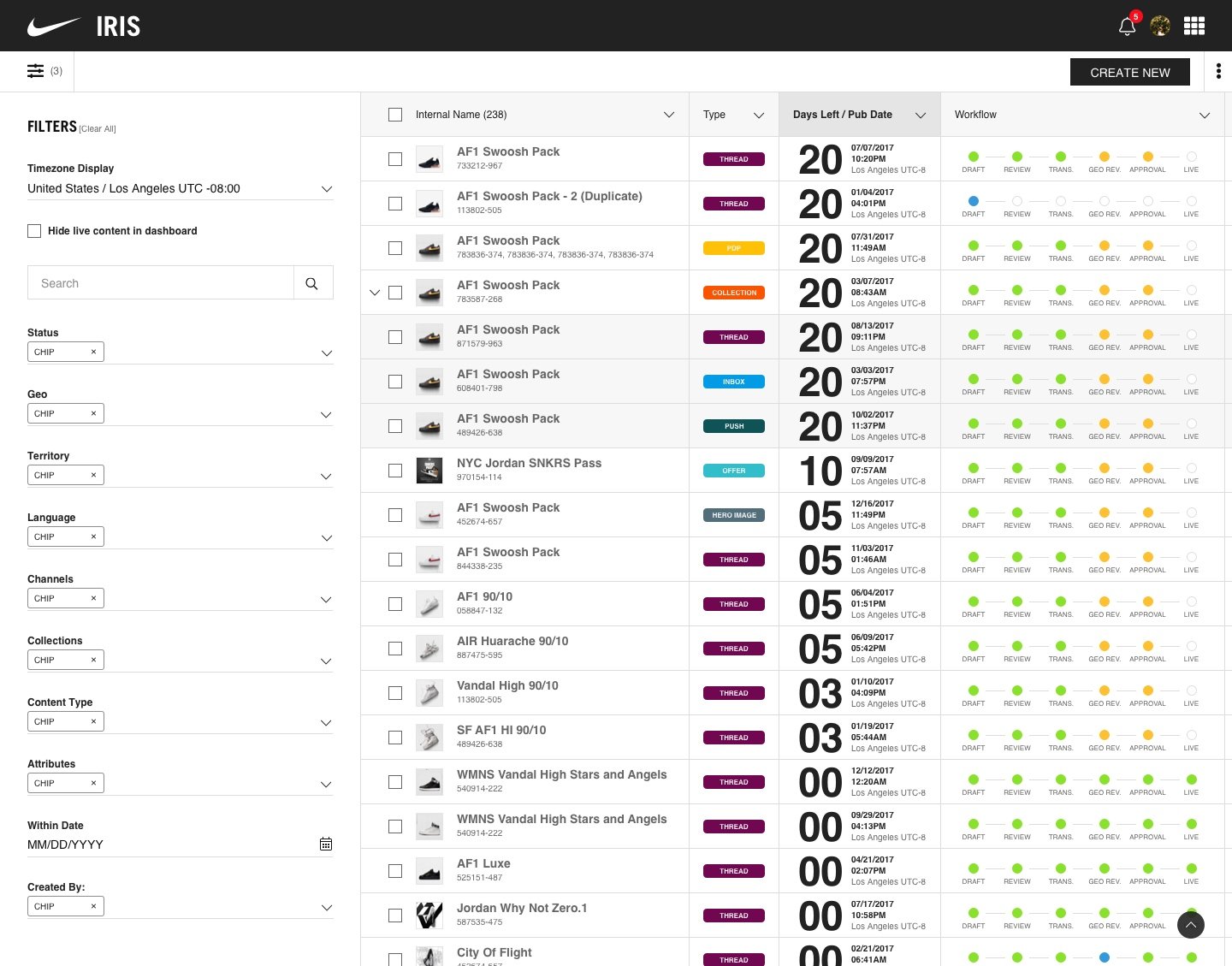
IRIS dashboard 01/16
Results and outcomes
-
4
Nike properties published through IRIS
-
2
Internal tools built from its library
-
Live
Still publishing today
The CMS, called IRIS inside Nike, still runs content across nike.com, SNKRS, Launch, and Nike+. The component library that came out of building the CMS eventually grew into its own dedicated enterprise design system, and went on to become the foundation for most of Nike’s internal enterprise tooling that followed.
What I designed
The application
- Product design, UX, and UI for the entire application
Design system
- The foundations of Nike's enterprise design system, later spun into its own formal team with company-wide rollout to internal tools
What I led
- Design operations, scheduling, and review cycles with leadership, and partnership across multiple product and engineering teams
- Author interviews and shadowing across content categories, to find what was actually broken, not just what was ticketed
- Pushback inside Nike on the idea that enterprise tools don't need the same design attention as consumer products
The opportunity
Nike was using multiple off-the-shelf content management tools that had multiple layers of hacks to do things specific to what Nike needed. These tools were dated and very expensive, and they were creating a lot of issues for authors.
Very often, bugs would cause a panic, and the people who were responsible for publishing product releases, editorial content, sports moments, and more got phone calls and panic texts in the middle of the night to fix things live.
Language translation was handled by an outside agency. Getting it back to the right place at the right time was done by hand, and it was easy to get wrong.
Images, files, and approvals were all cumbersome. There was little transparency around what stage something was in, whether it was approved, and whether it was live.
Naturally, Nike decided to build its own CMS. Engineering had already built a first version that could publish text and one image when I joined the project.
I started as a contract Sr. UI/UX Design Lead. I was quickly hired full time and promoted to Lead Product Designer, still on the same work.
Constraints
The first version showed Nike could publish with its own tool, but it still needed a workflow, a way to approve work, support for other languages, and a way to manage images and files.
There was no surprise finding. People already knew what was missing. The job was to build it well, at the scale Nike needed.
This was not one team’s job. Platform engineering, the language and translation group, and the teams that put content on each Nike property all had to move together. That did not happen on its own. It took a lot of coordination to keep the design consistent.
There was a lot of pressure and a ton of cross-functional wrangling. So much so that, partway through the project, my design manager and my UX research partner both left.
I was the only designer on the CMS. No one was reviewing the design for quality before presenting to leadership, and I had no research partner to run studies with.
Decisions
A workflow with actual state, not a black box
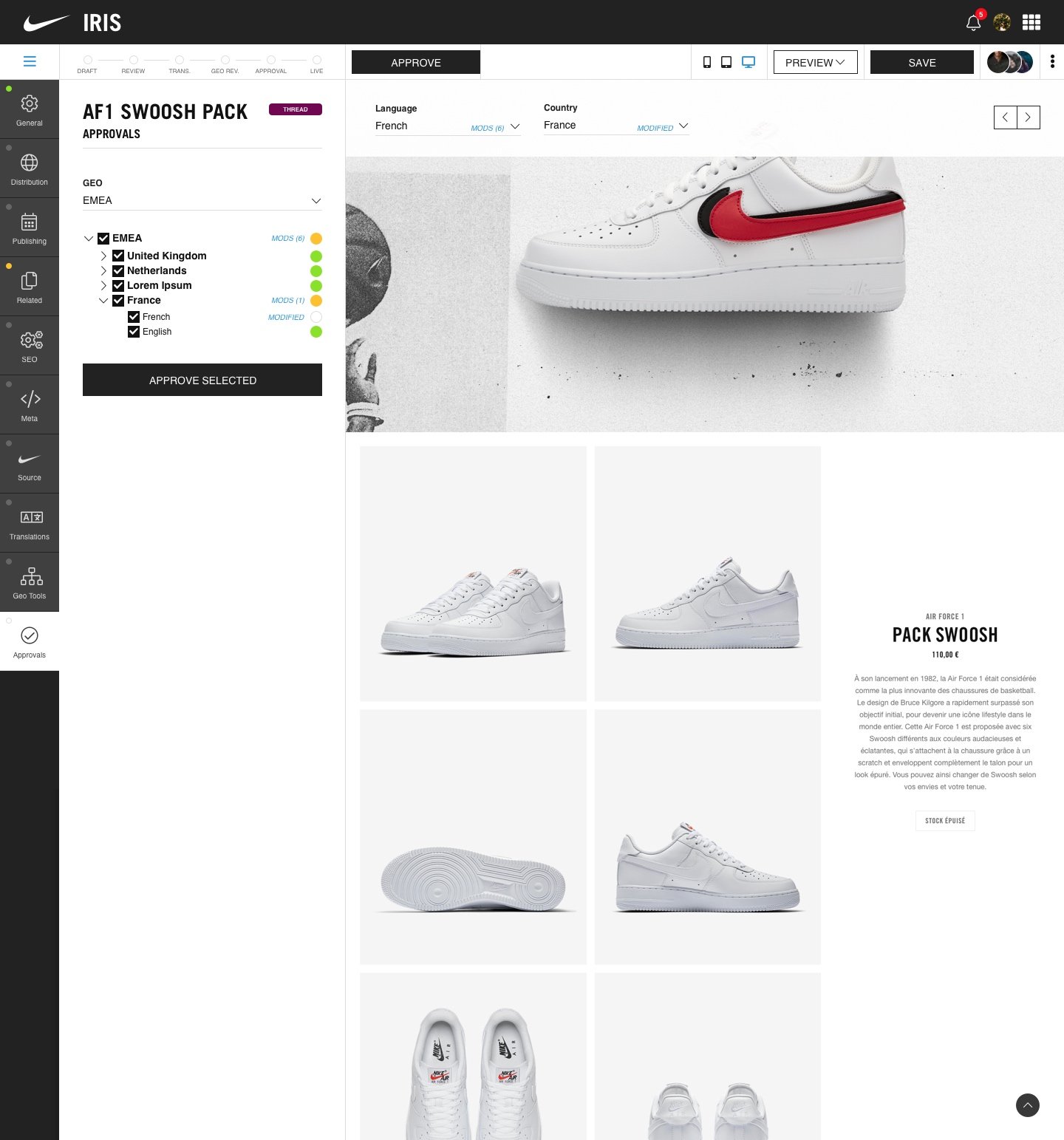
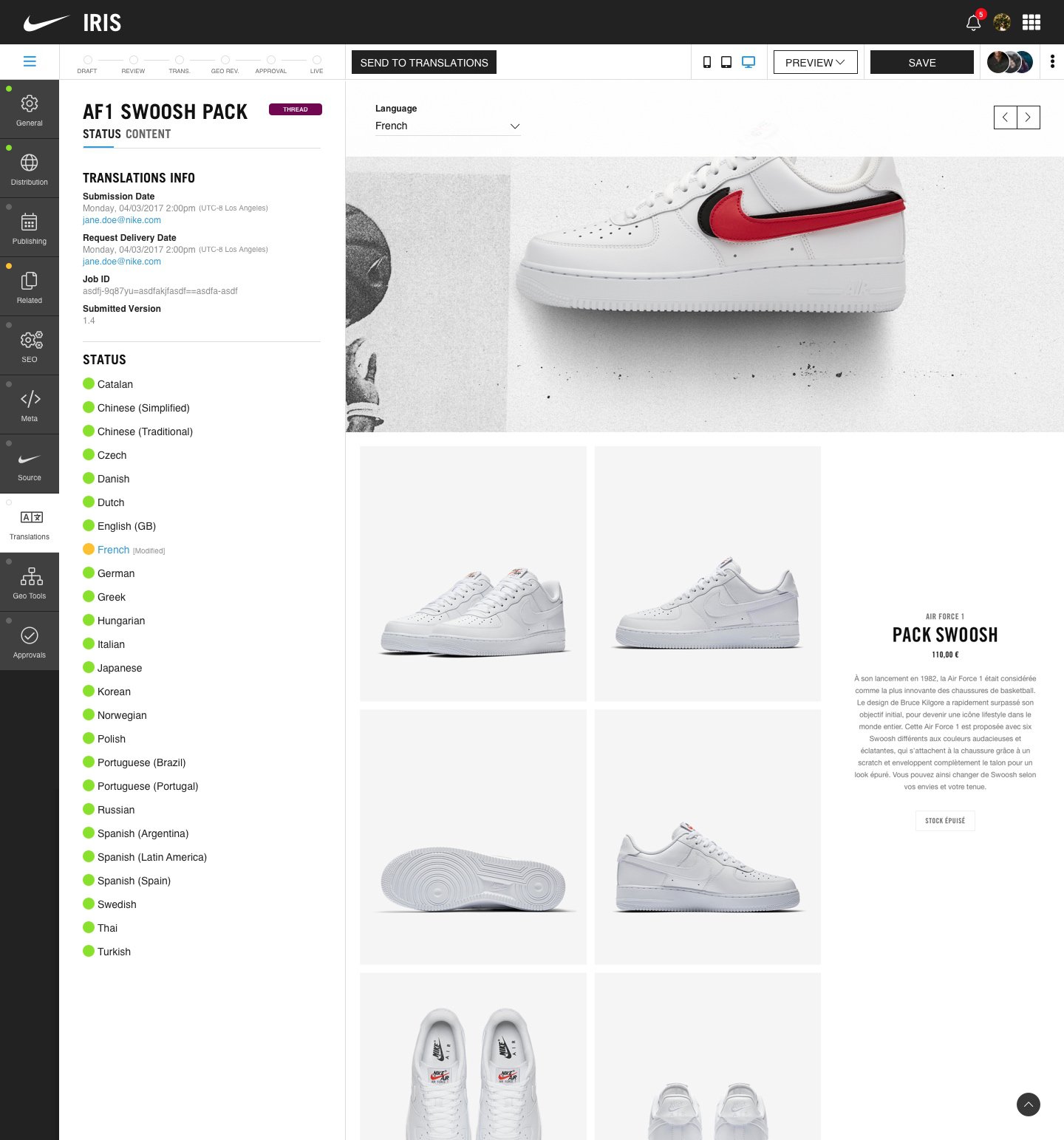
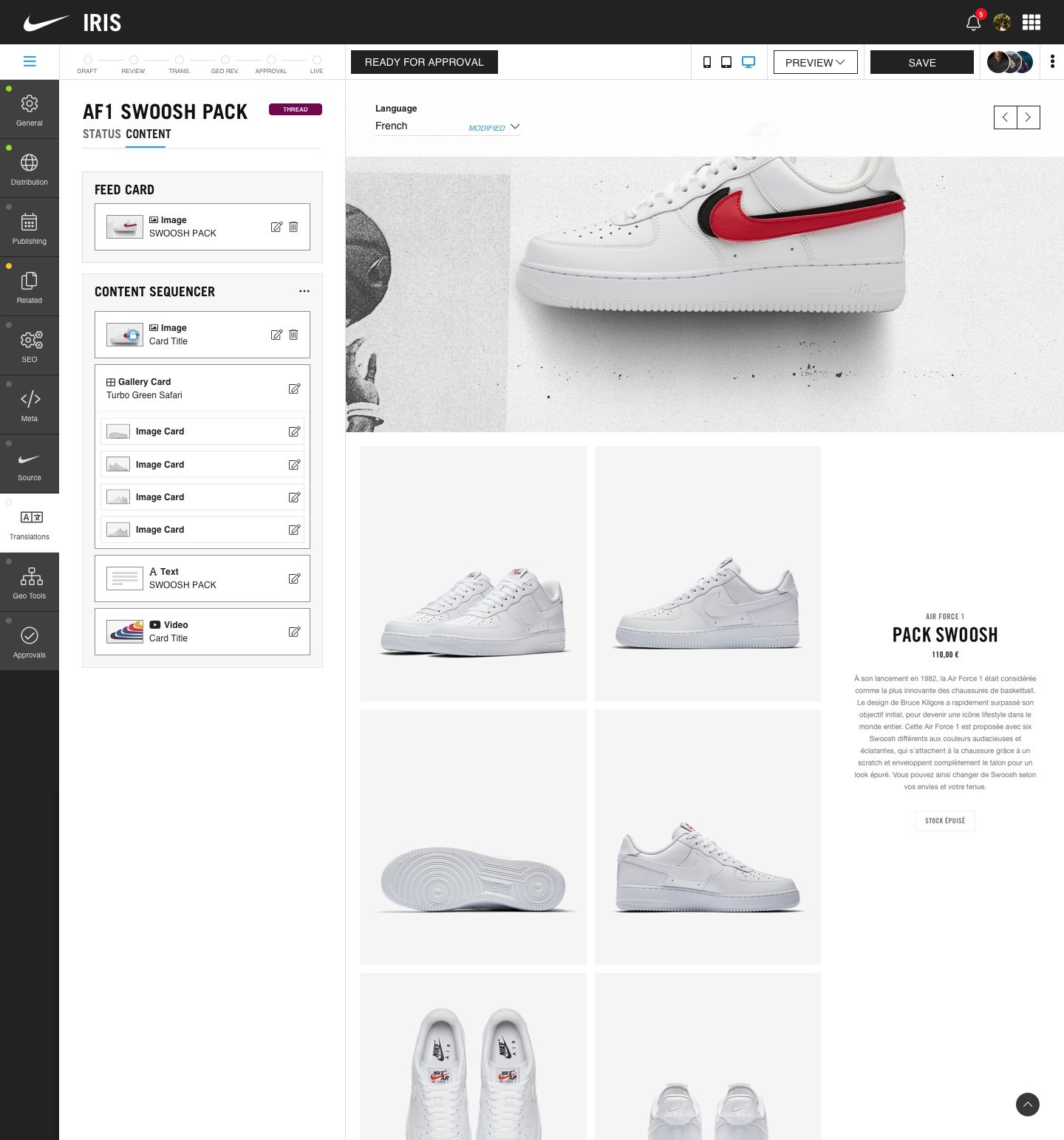
Every piece of content carries visible approval gateways and status indicators, so anyone looking at it knows exactly where it sits and what happens next. That single change addressed most of what was making authors’ lives difficult: work going live before it was ready, and no visibility into where something stood in the chain.
Authoring broken into contextual sections
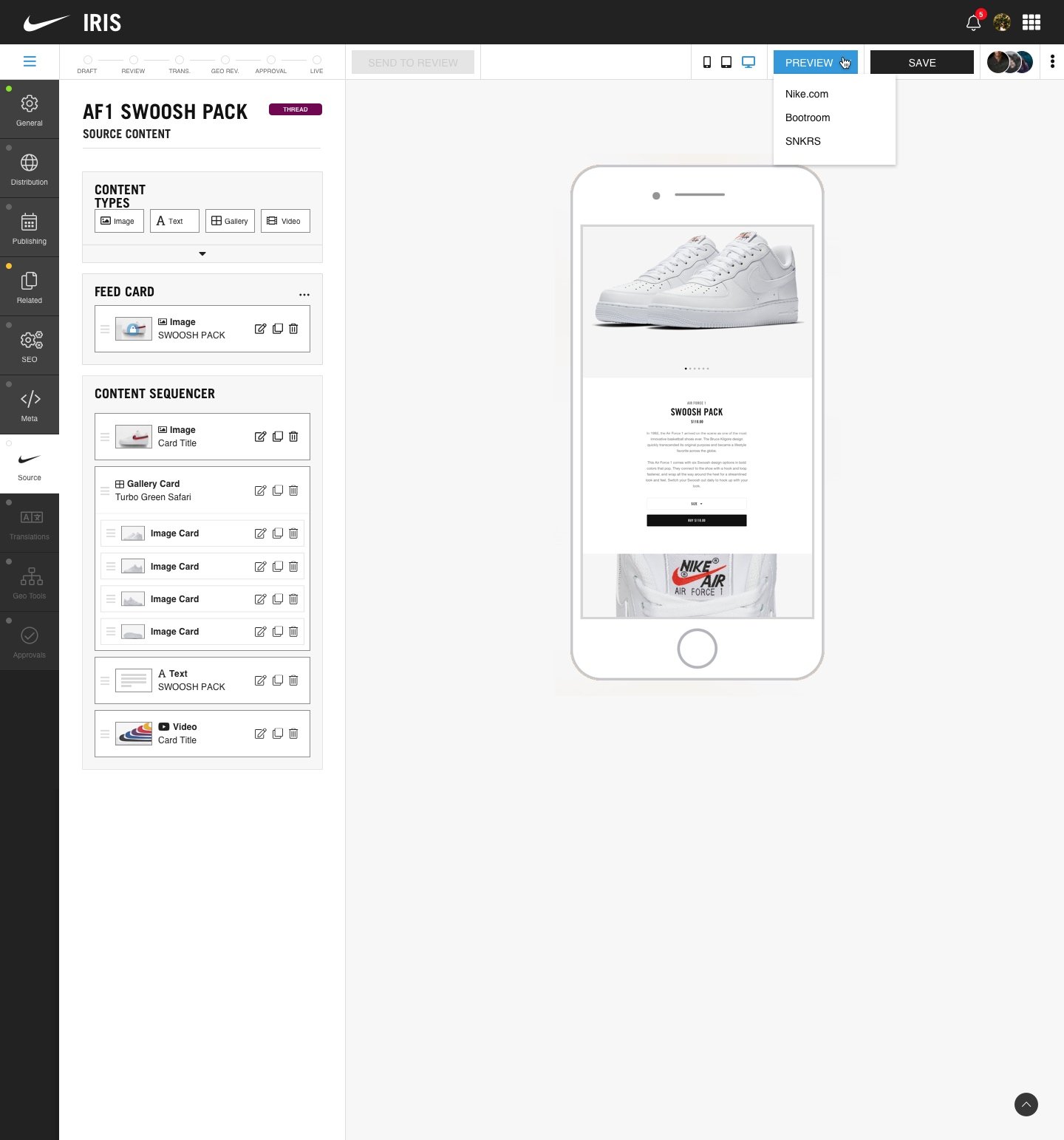
Options, settings, and controls only show up where they’re relevant to what an author is actually doing at that step, instead of surfacing everything all the time.
Section-based permissions
Section-based permissions let a specialized team like SEO work inside its own scope of the tool without needing broader access or bumping into content it had no business touching.
A block editor built to preview reality, not a guess
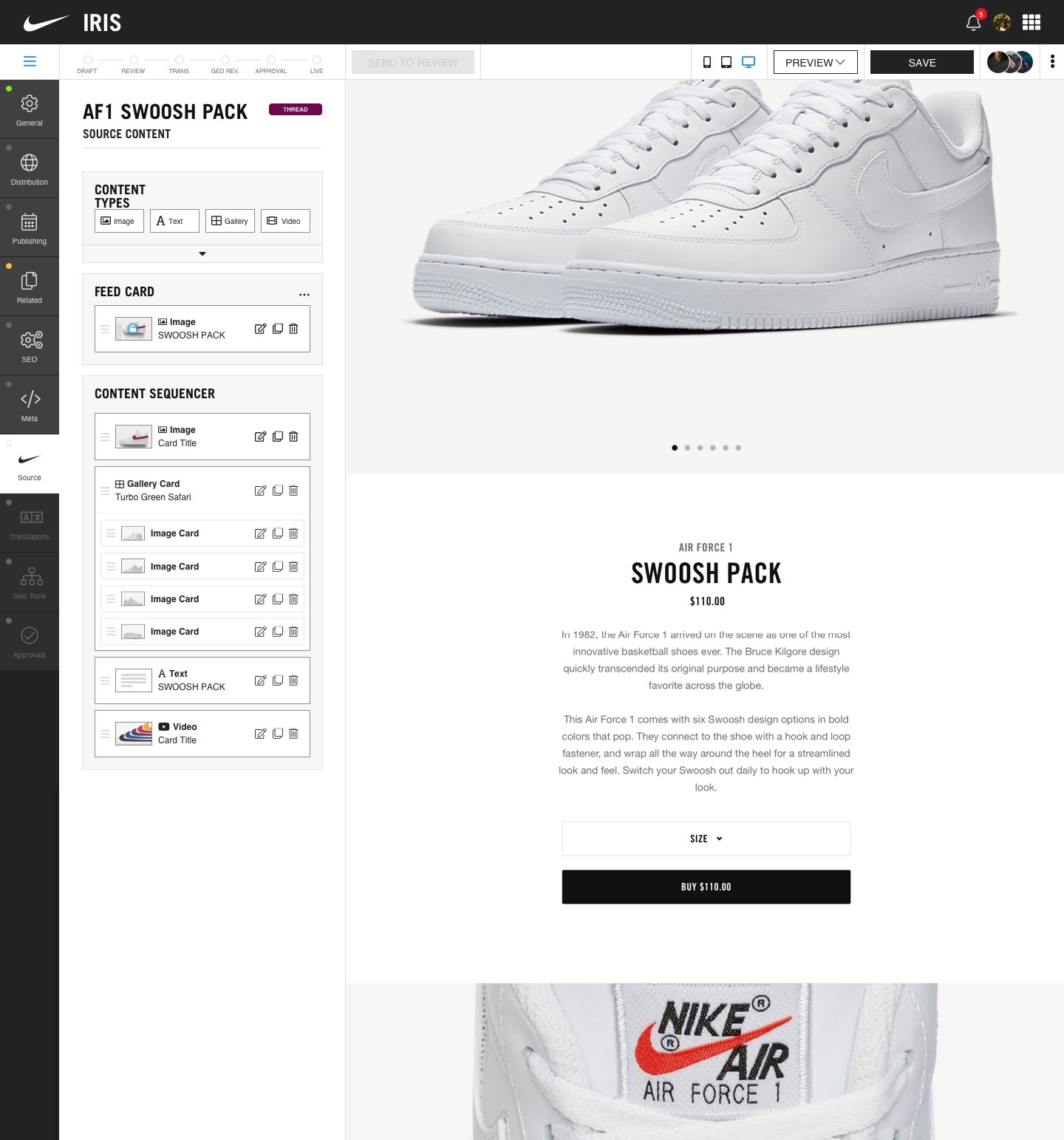
The block editor previews content inline across viewports, languages, and Nike’s apps, so an author could see what the content would actually look like before it went anywhere.
Language handling built into the workflow
Language handling lives in the workflow, with automated push and pull to a third-party translation agency, instead of someone managing that process by hand.
A component library that came out of the work, not a separate initiative
Building the CMS meant designing the same patterns over and over, so I started pulling those into a shared library to move faster. That library is what let me help stand up tooling for a couple of other teams quickly: the g11n team’s localization tooling and an asset management tool called Perspective, both built directly with those teams using components that already existed. Neither of those took real additional design effort. The system built for the CMS ported over.
Conceptual CMS preview app for iOS
I built this prototype to show that the CMS could preview content in context, in the apps it was set to publish to, on a mobile device, on the fly.
Learnings
There’s a common assumption inside most organizations that internal tools don’t need the same care as anything customer-facing. I don’t buy that.
A customer uses a product for a few minutes at a time. An employee lives inside an internal tool all day. It’s their actual daily touchpoint with the brand, and shipping something cheap there is a statement to your own people, not just a UX shortcut.
I gave internal presentations making that case and pushed to bring real Nike-level design polish to the CMS instead of treating it like a backend utility.
Losing my design manager and research partner changed how I worked. With more time, and a research partner back, I would have run structured studies on the authoring flow instead of the informal checks I could do on my own.
- Nike
Eric is a talented designer who can balance high-pressure timelines with a great sense of art direction.
 Roger Chen Vice President, Nike - Innovation - Advanced Digital Creation Studio
 Full recommendation
Eric is a talented designer who can balance high-pressure timelines with a great sense of art direction. He is a team player and excels at collaborating with others to drive towards a premium brand creative solution.
Roger Chen, Vice President, Nike - Innovation - Advanced Digital Creation Studio
- Nike
Eric takes the time to understand the user journey from every point of view. This helps to locate potential gaps in requirements.
 Ben Jones Head of Product Design
 Full recommendation
Eric isn’t just a very talented designer. He is much, much more! Eric takes the time to understand the user journey from every point of view. This helps to locate potential gaps in requirements. Then he will craft screens and user journey flows that are well thought out and balanced. Next he’ll bring the comps to the application’s users and gain valuable feedback he can incorporate back into his designs. With the help of his user testing and insights gained we were able to collectively build a better product by constantly iterating between the design & prototyping phase.
Ben Jones, Head of Product Design
- Nike
Eric Powell stands firm on delivering products with good design principles and doing things right.
 Snigdha Roy Senior Software Engineer
 Full recommendation
Eric Powell stands firm on delivering products with good design principles and doing things right. It was a pleasure working with him, and I hope to get the chance again!
Snigdha Roy, Senior Software Engineer