billups · Lead UX Designer
- Domain
- Out-of-home media planning, B2B SaaS, Data visualization, Maps
- Surface
- Web
- Tool stack
- Sketch
Boohma, Out-of-Home SaaS
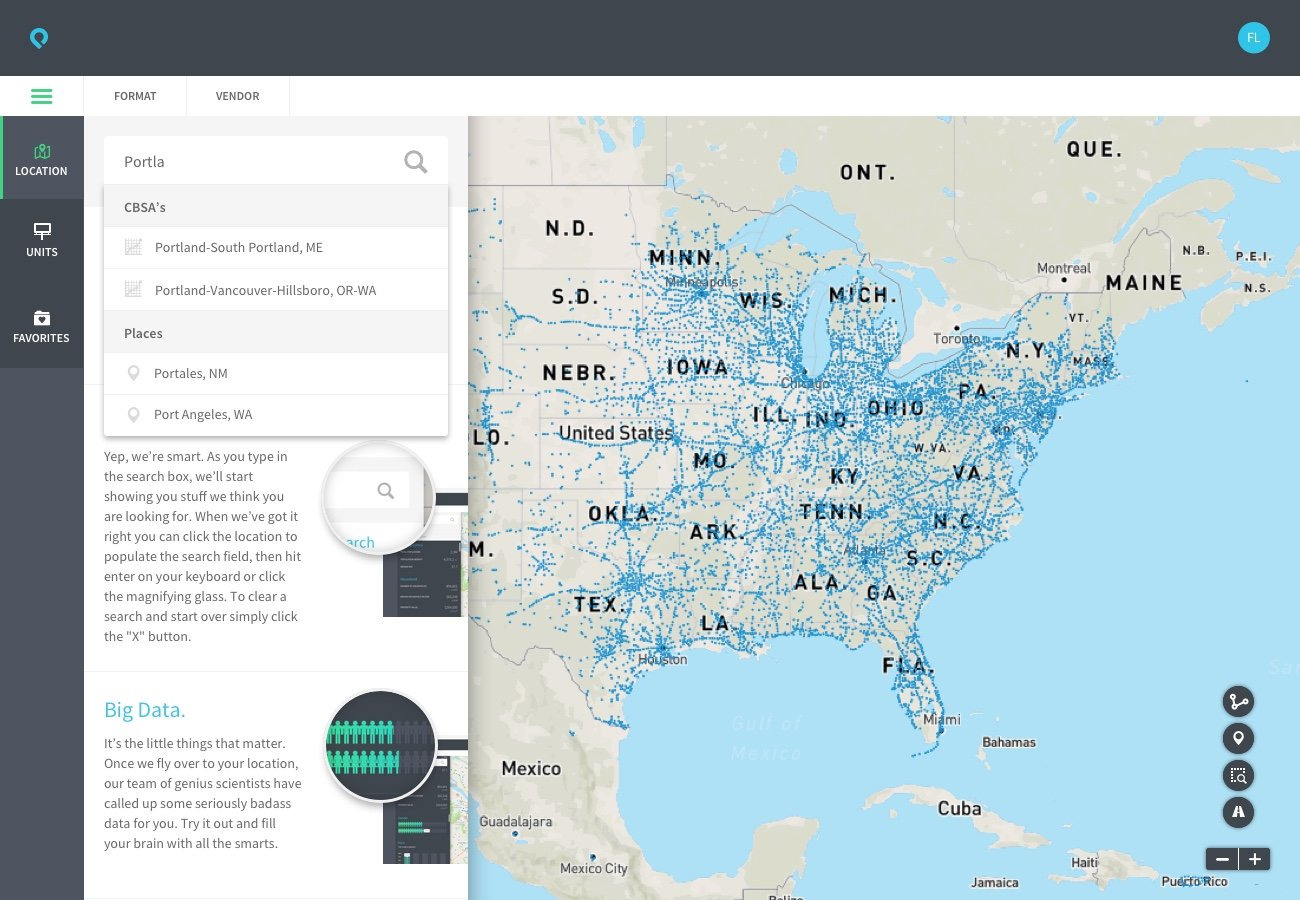
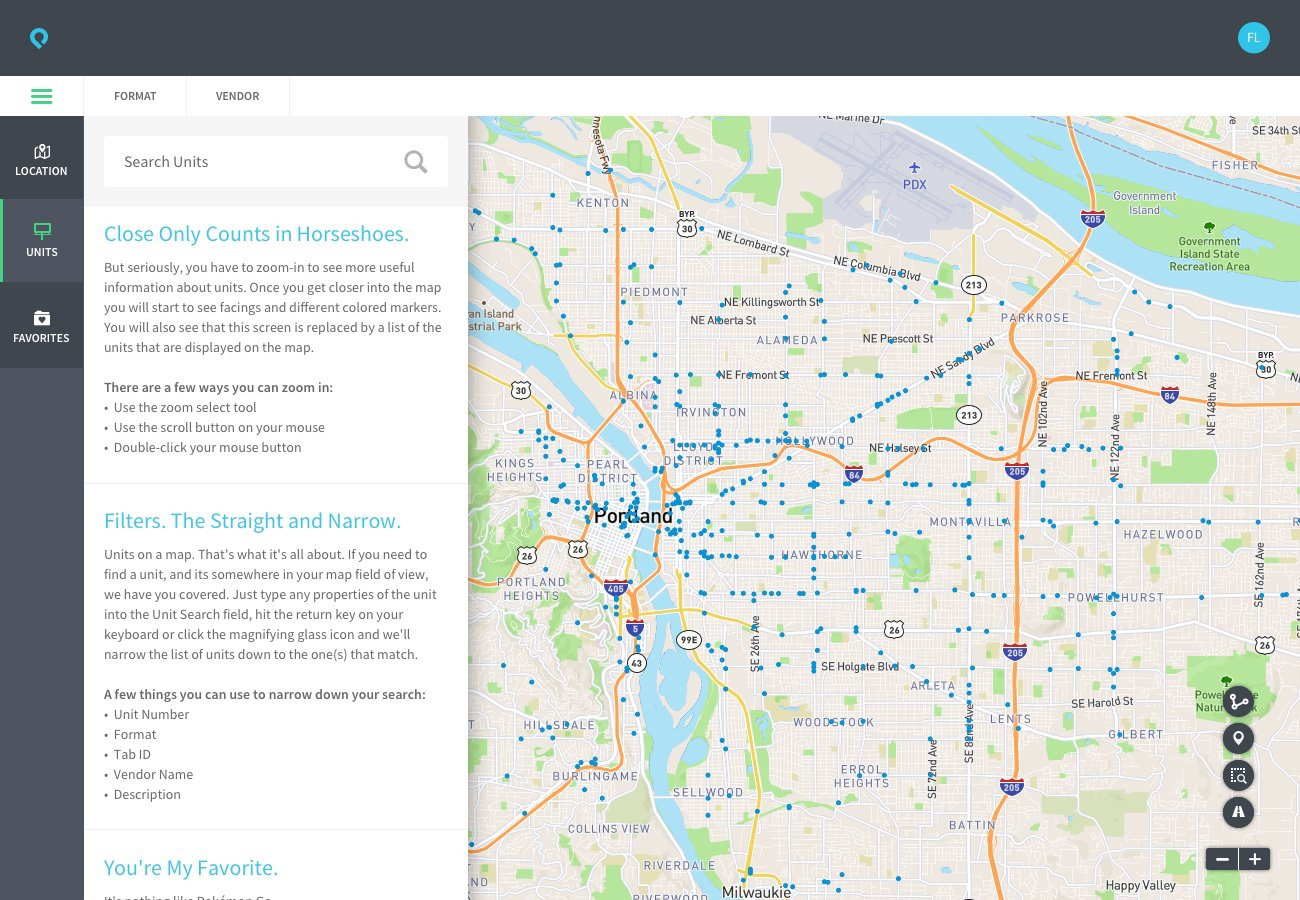
Boohma was billups' tool for planning out-of-home advertising on billboards, transit, and kiosks. Media buyers planned campaigns against a live map of the inventory that was available. billups had built its name on the data and relationship side of out-of-home advertising, and Boohma was meant to turn that knowledge into software.
Engineering had built a pilot that proved the data worked, but it didn't have a UX layer yet, so the tools were hard to use. I joined as Lead UX Designer to lead the rebuild, and to help the company treat design as part of how the product got built.
Desktop app experience
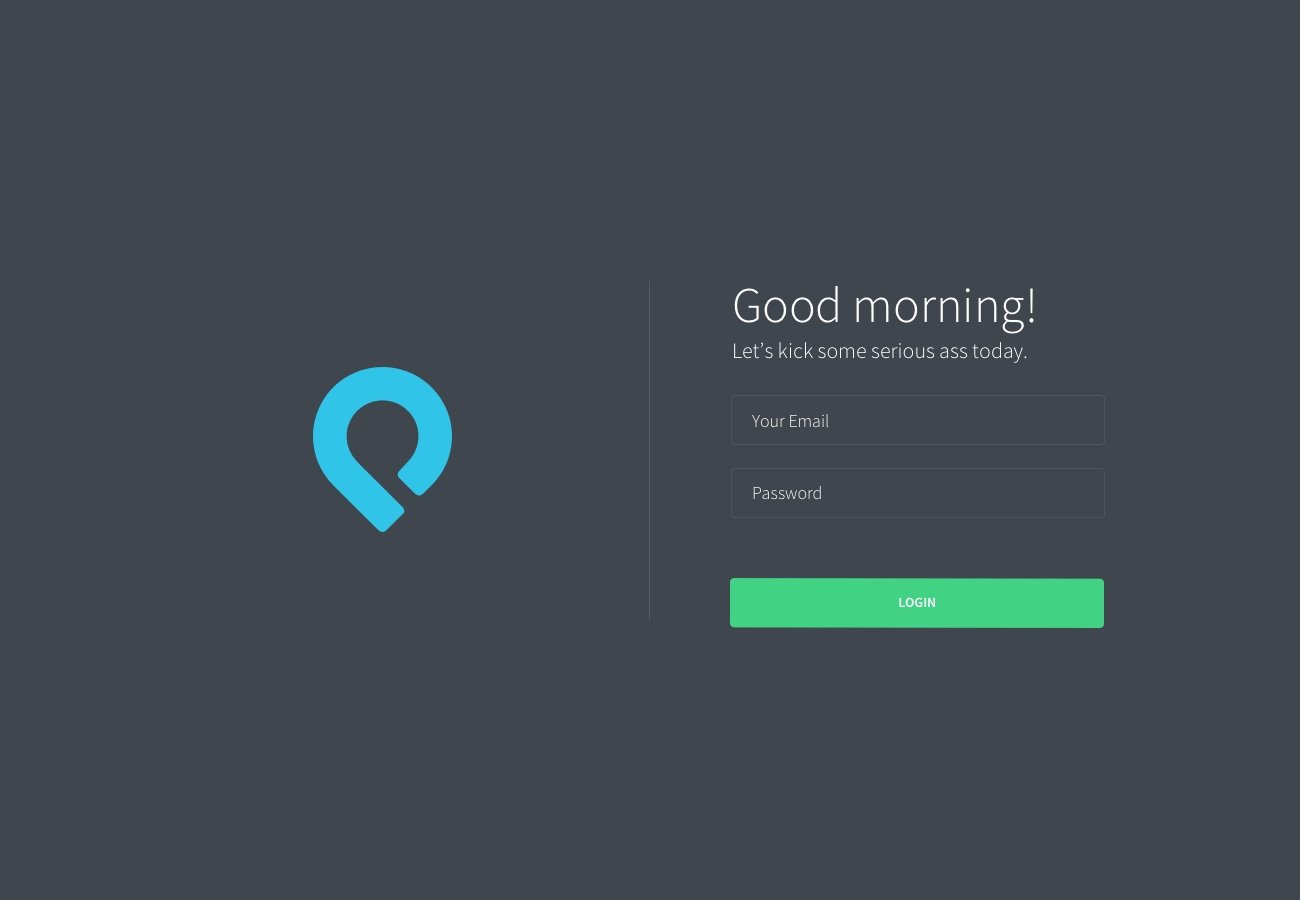
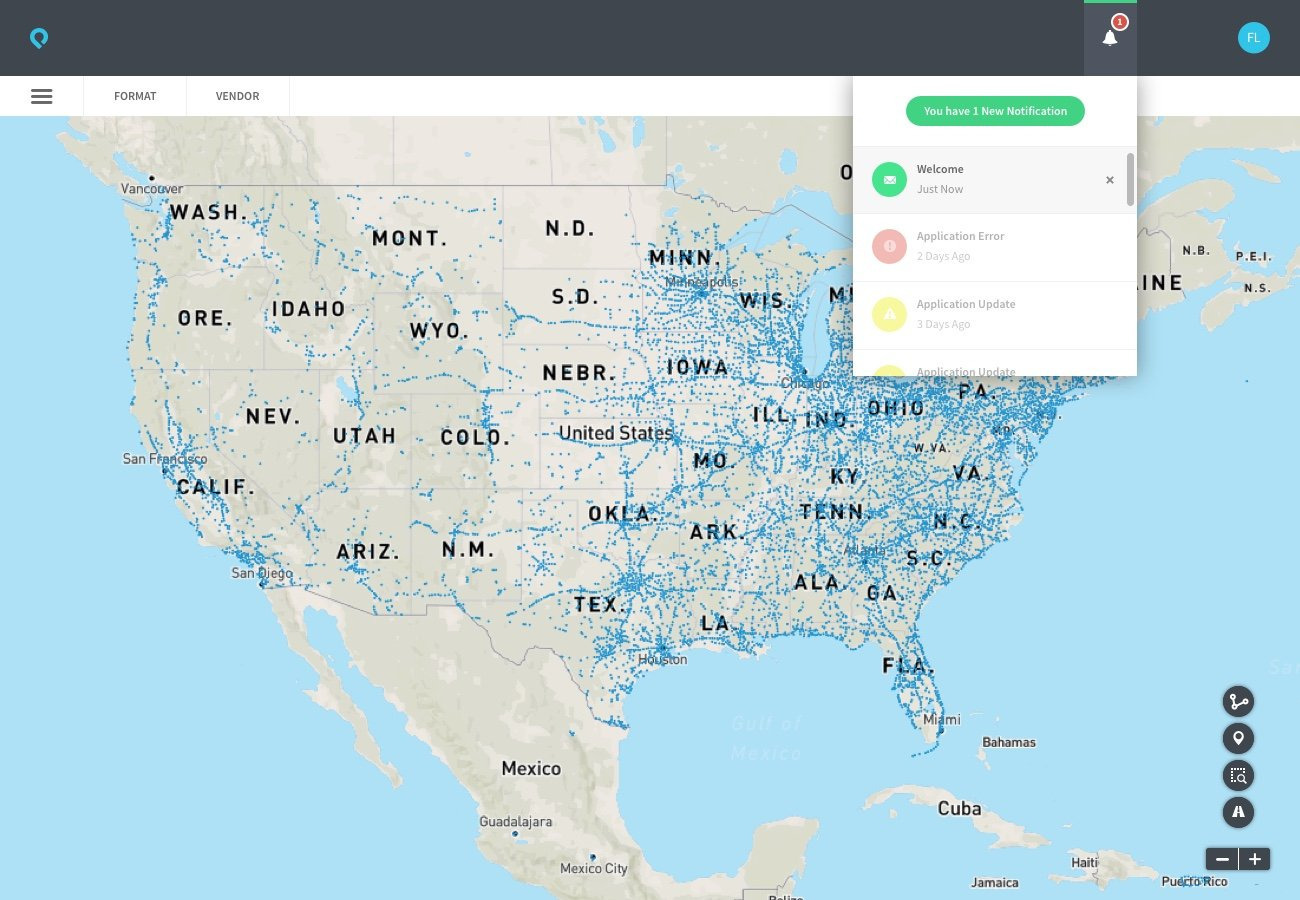
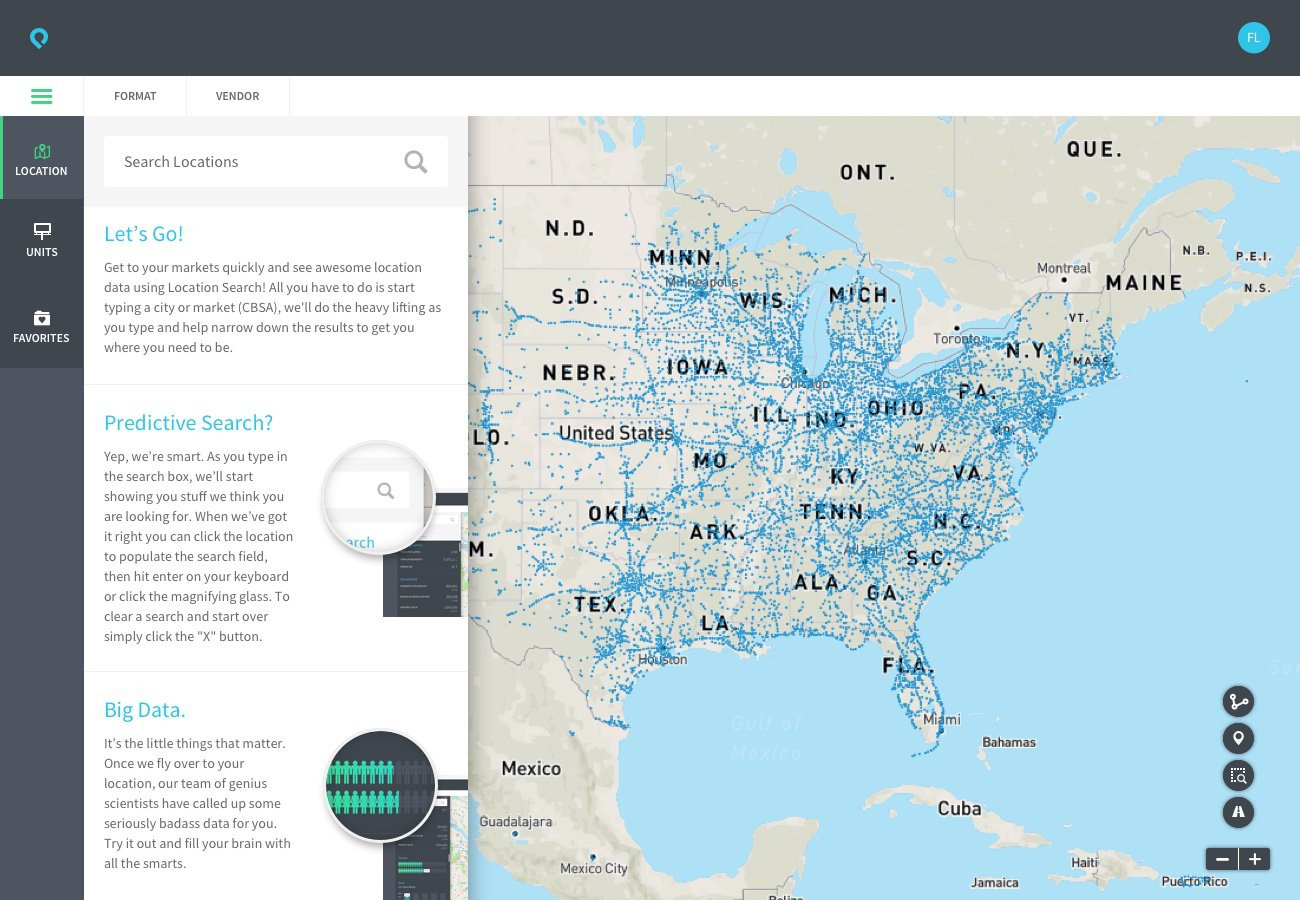
Swipe to change screens
Login 01/15
What I designed
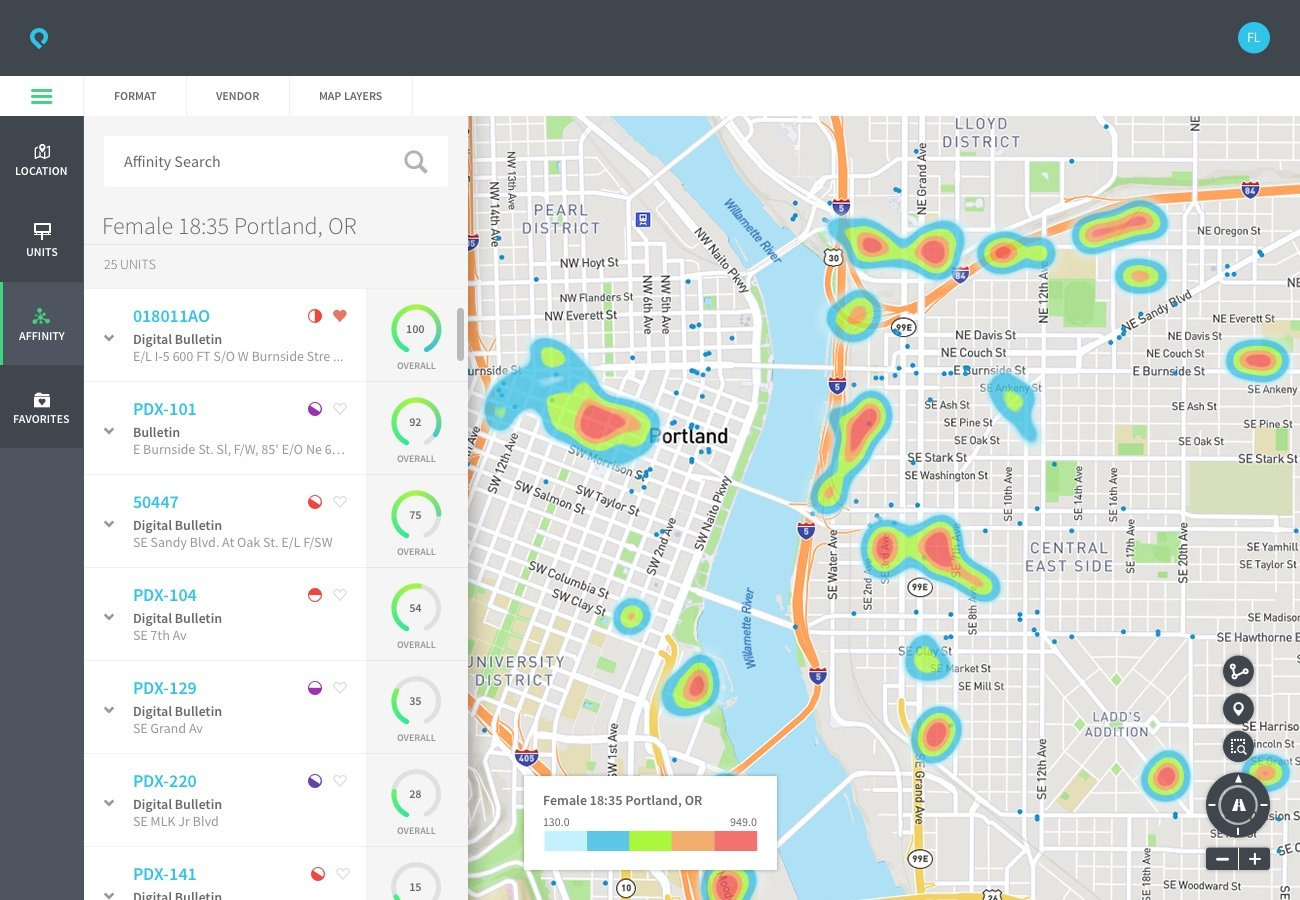
- The map and its system of data layers
- Navigation architecture, personas, and user flows
- Look and feel, mood boards, and the color palette
- Most of the instructional and system copy
What I led
- Research into out-of-home media planning, buyer workflows, and tools in and out of the category
- A lean design process built on a Sketch symbol library
- Design sprints with engineering, running about two weeks behind development
- Helping move billups from an engineering-led company to one where design had a seat at the table
The opportunity
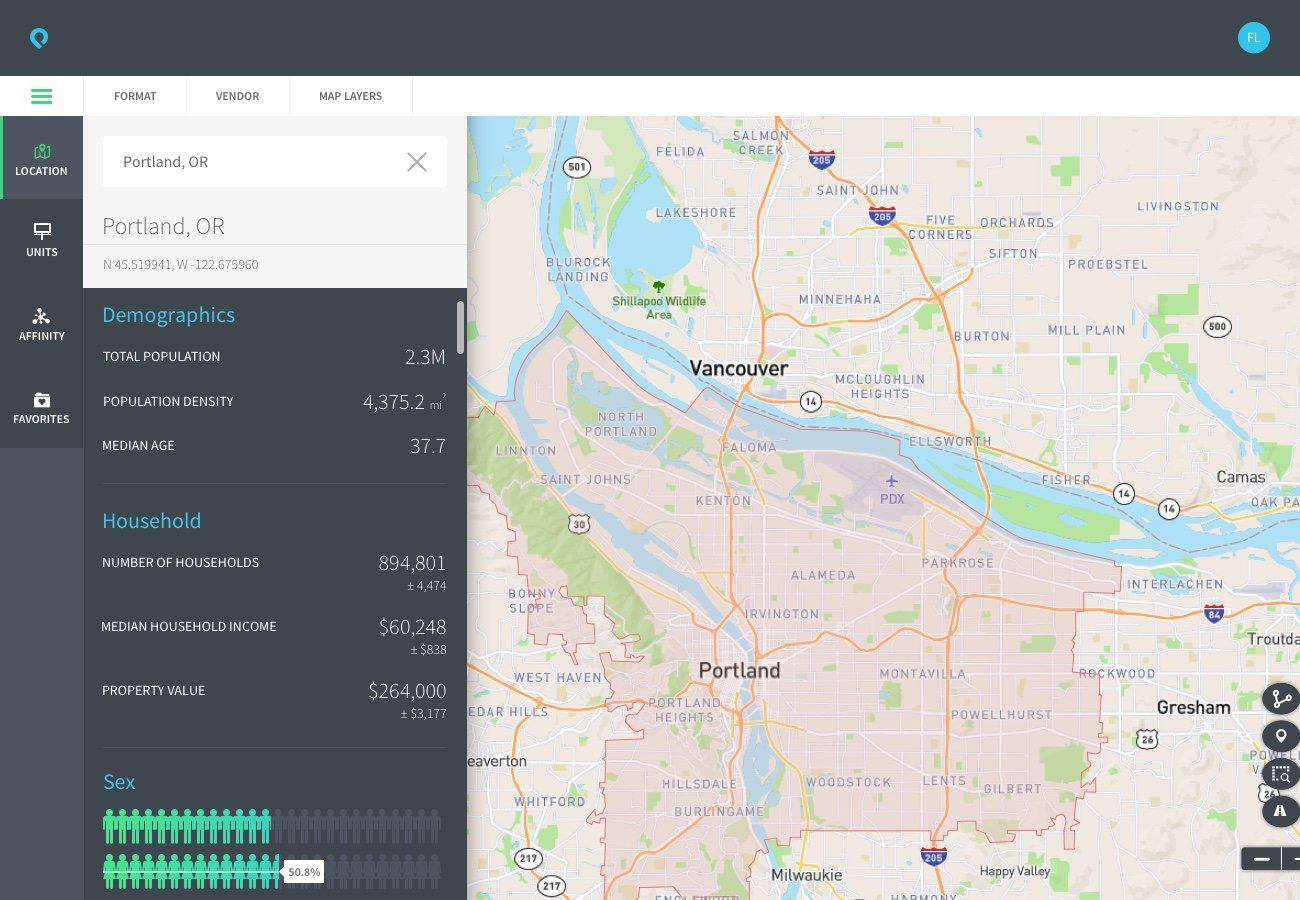
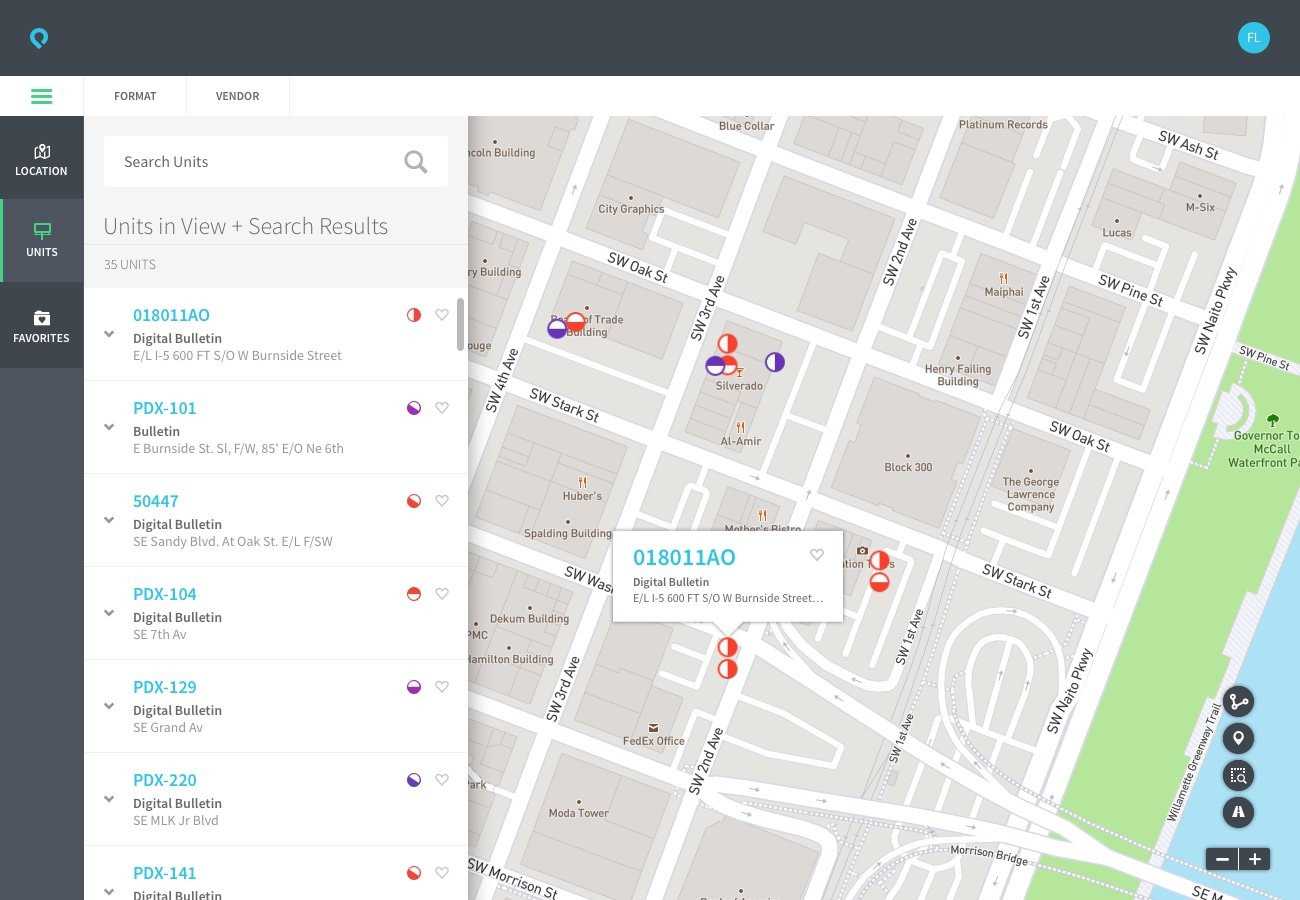
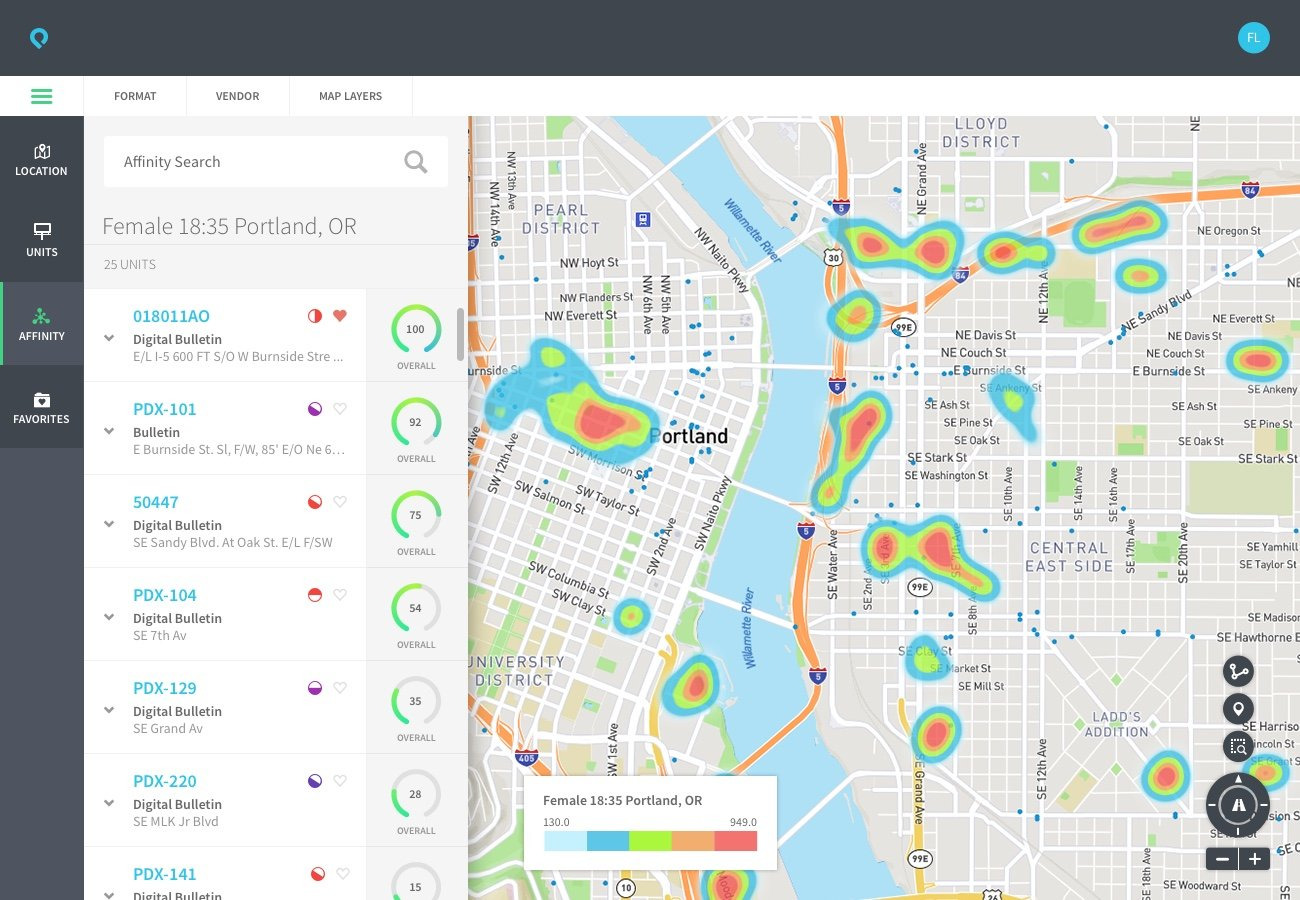
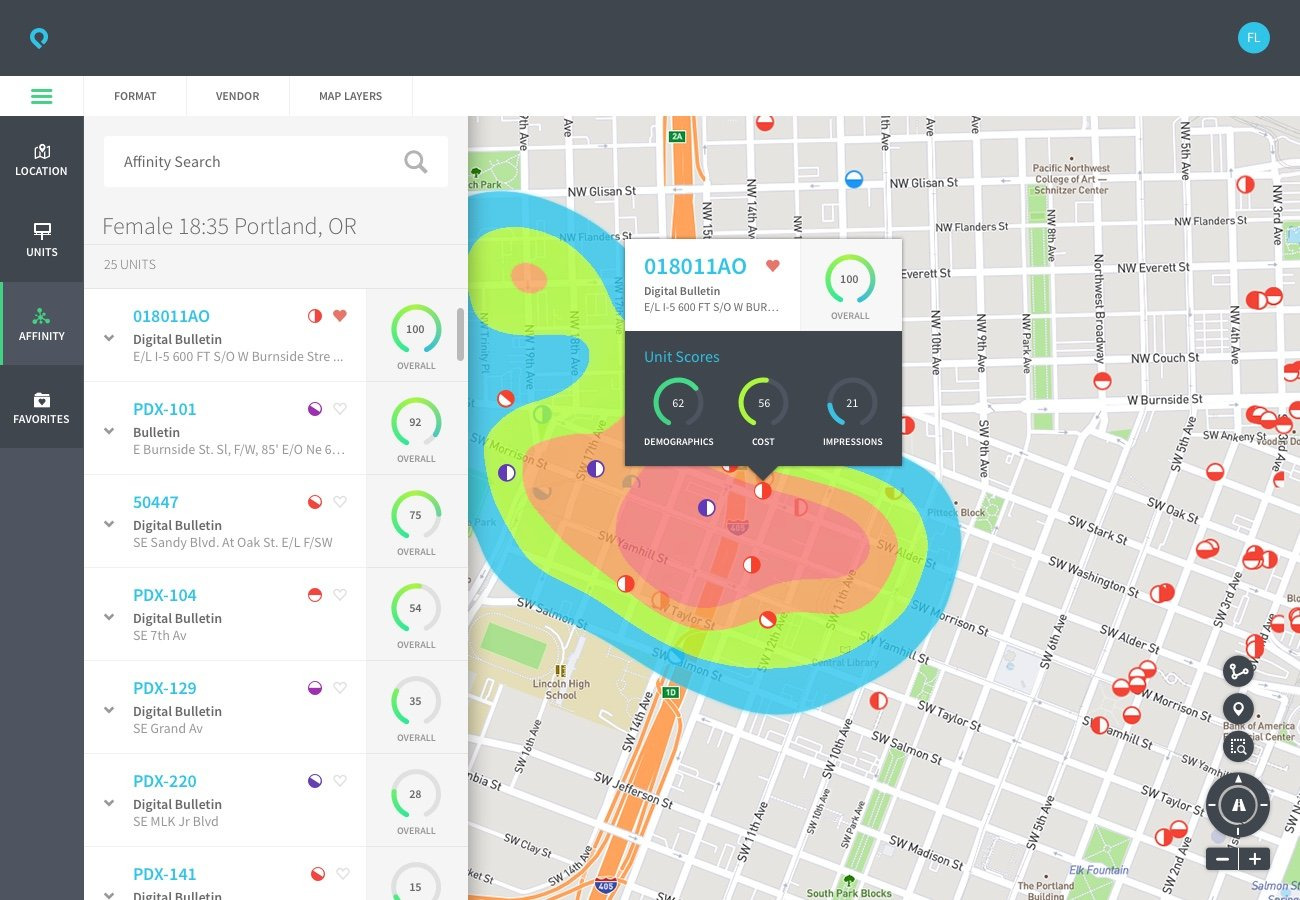
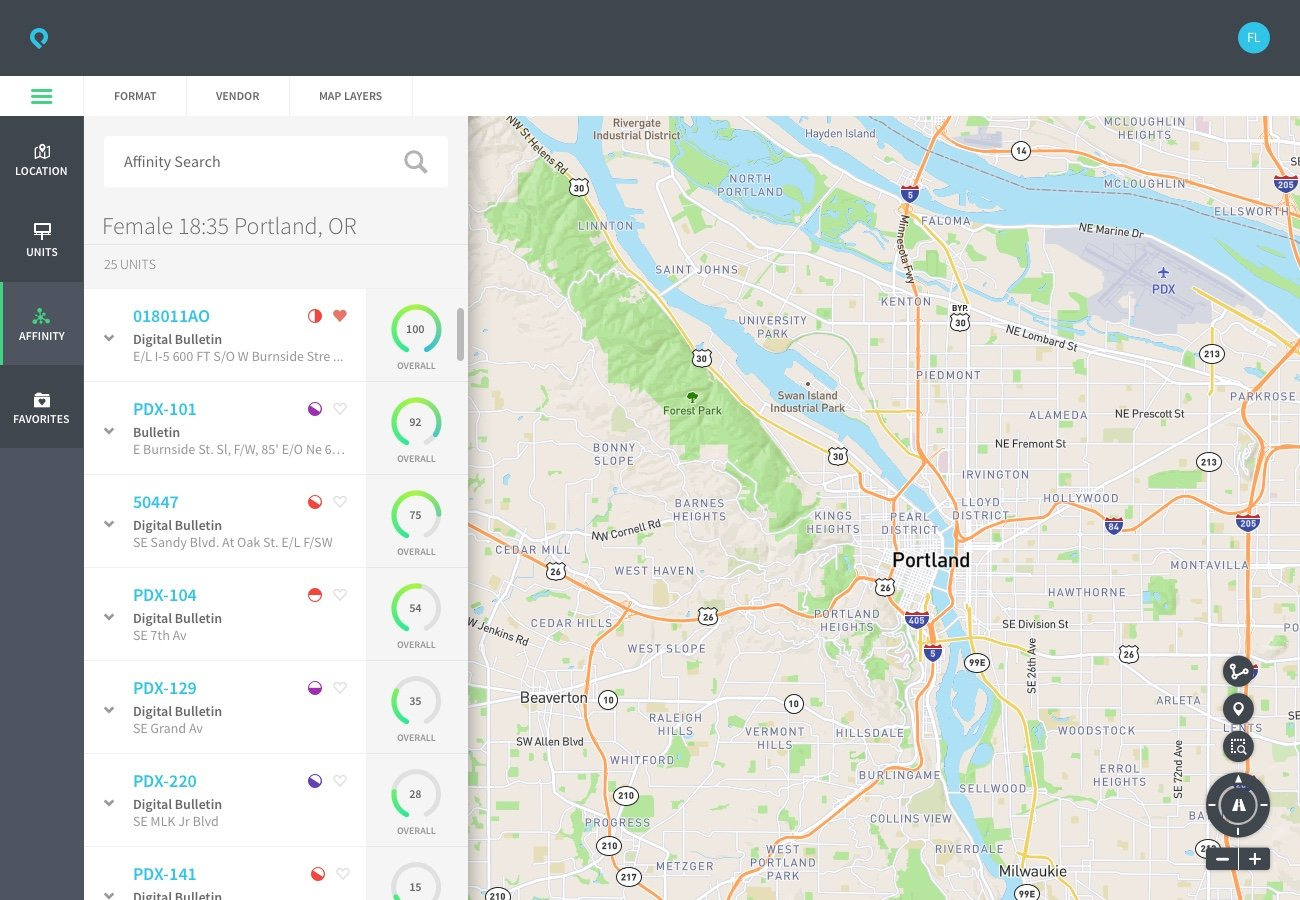
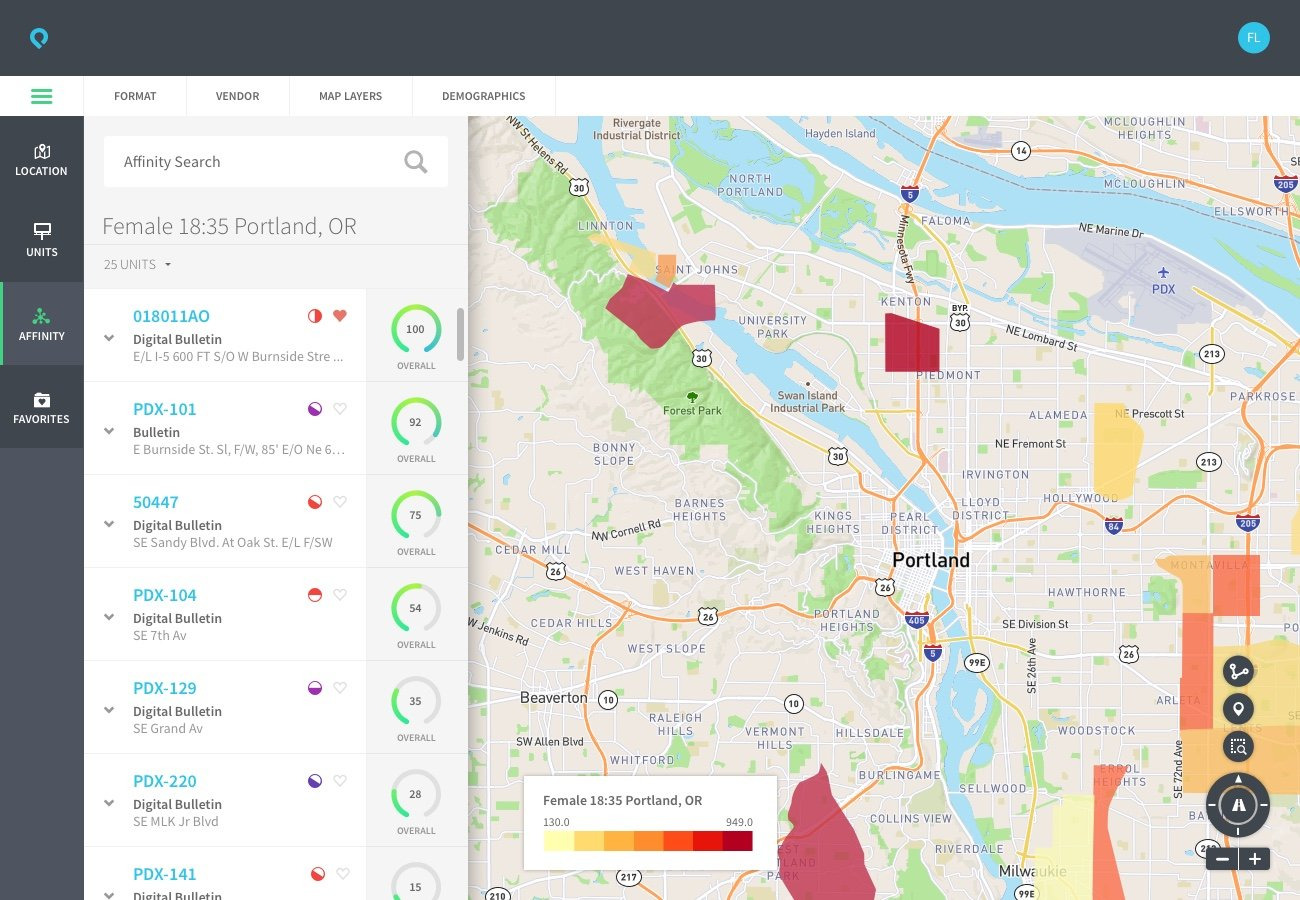
Boohma had a lot of live data behind it: traffic patterns, sensor feeds, demographic profiles, and the status of billboards and kiosks. All of it needed to live on the map, and the hard part was finding the right balance. With too many layers on at once, the map was hard to read. With too few, it didn’t give a media buyer what they needed for the job in front of them.
There wasn’t an established product in out-of-home media planning to learn from. I learned the category from the ground up, and looked at maps and data visualization more broadly, including competitive tools and products in other industries, to find a starting point.
Constraints
billups didn’t have a design process yet, so I built one while we designed the product.
Design ran about two weeks behind engineering, so we were always working against a moving target. Revised screens, bug fixes, enhancement requests, and detailed UI specs went back and forth as the two tracks moved toward release.
Decisions
Showing the data each task needs
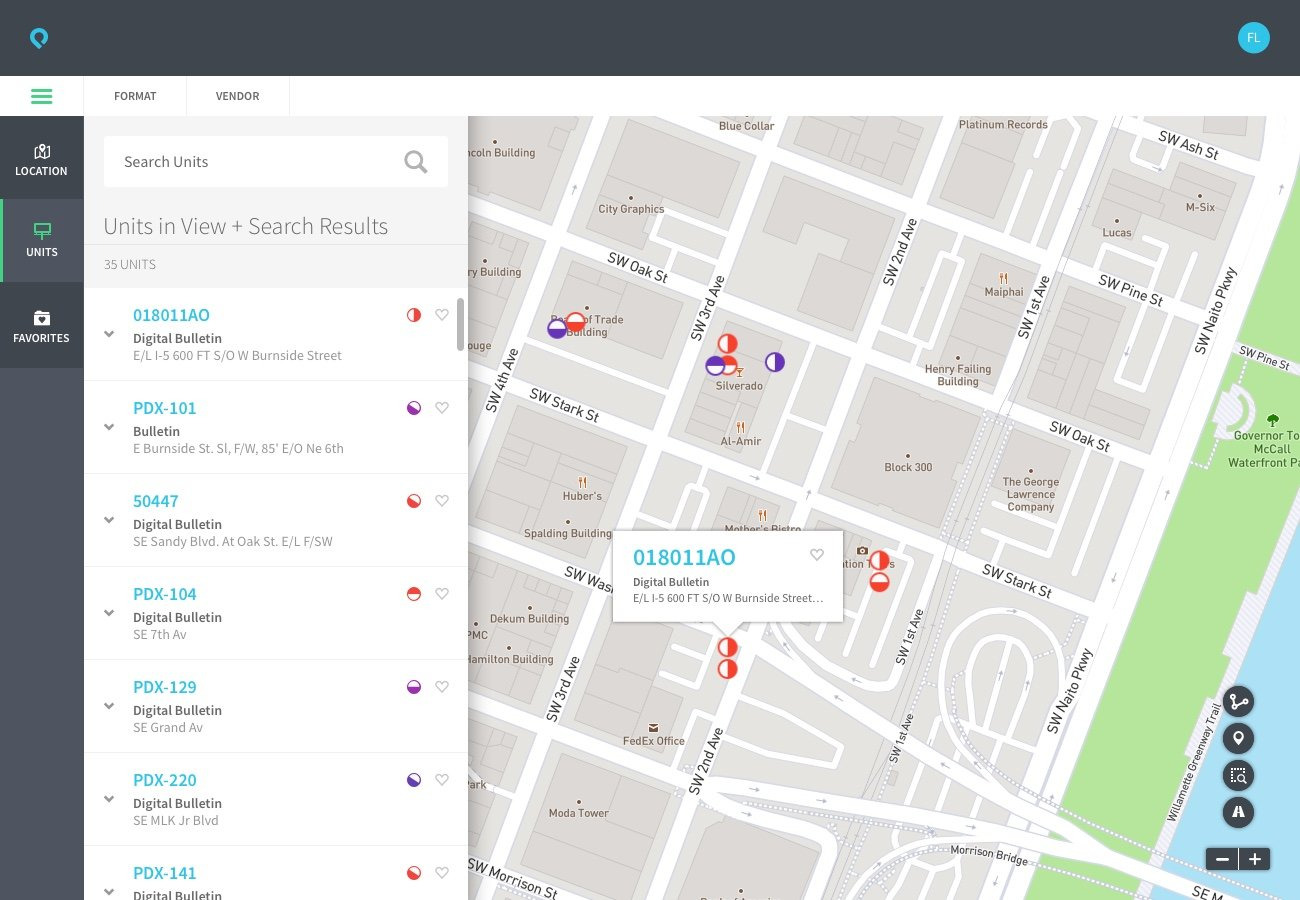
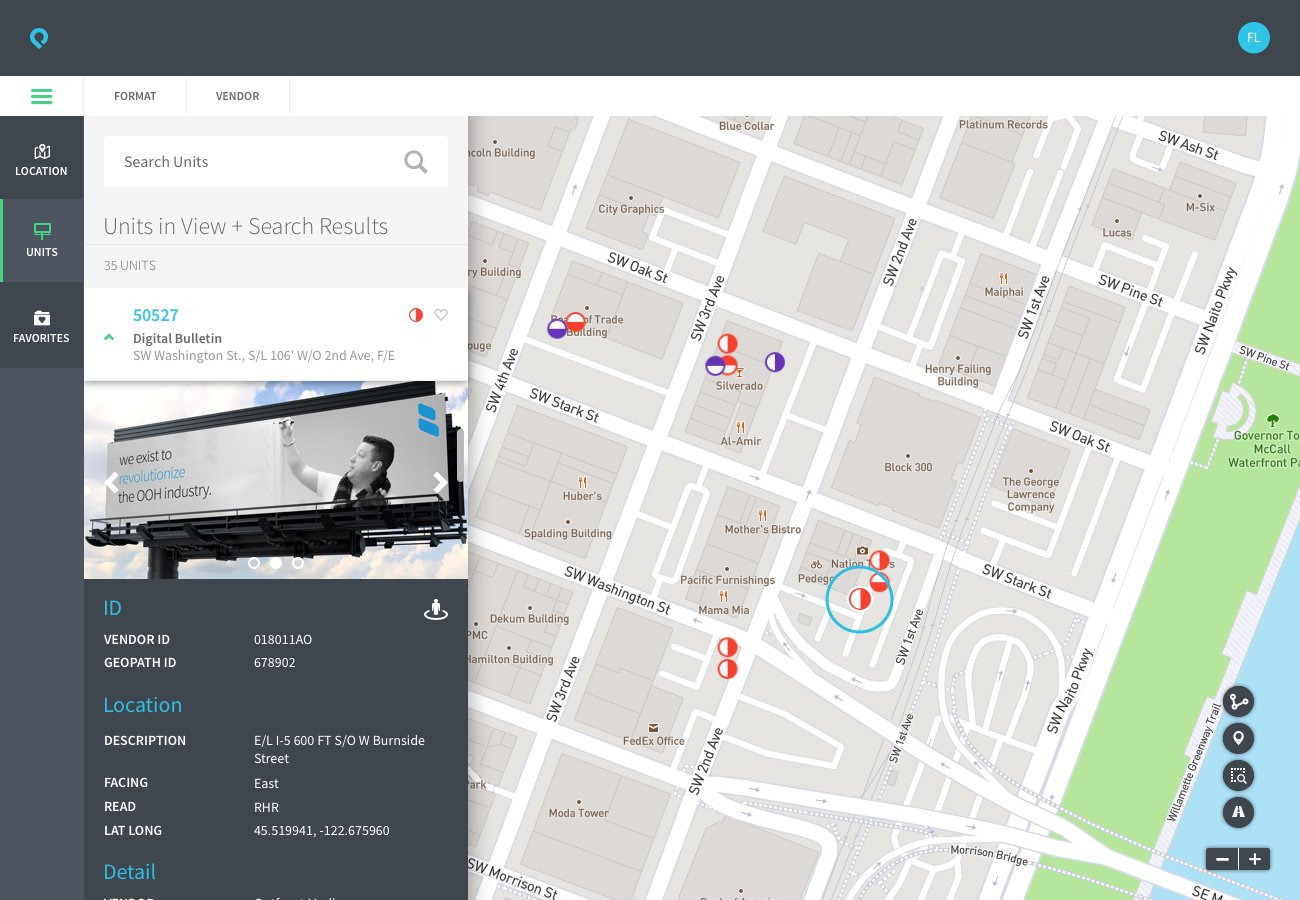
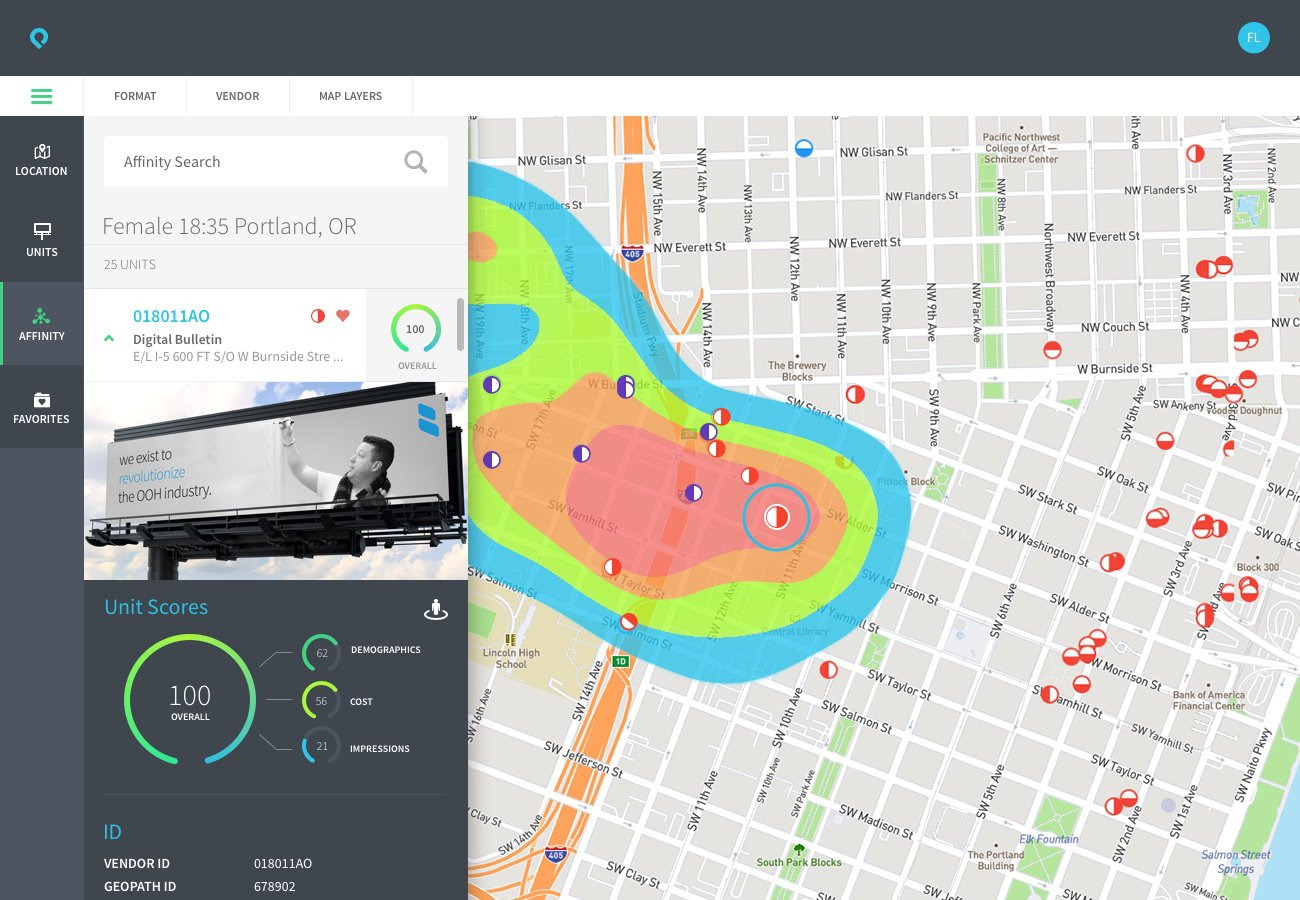
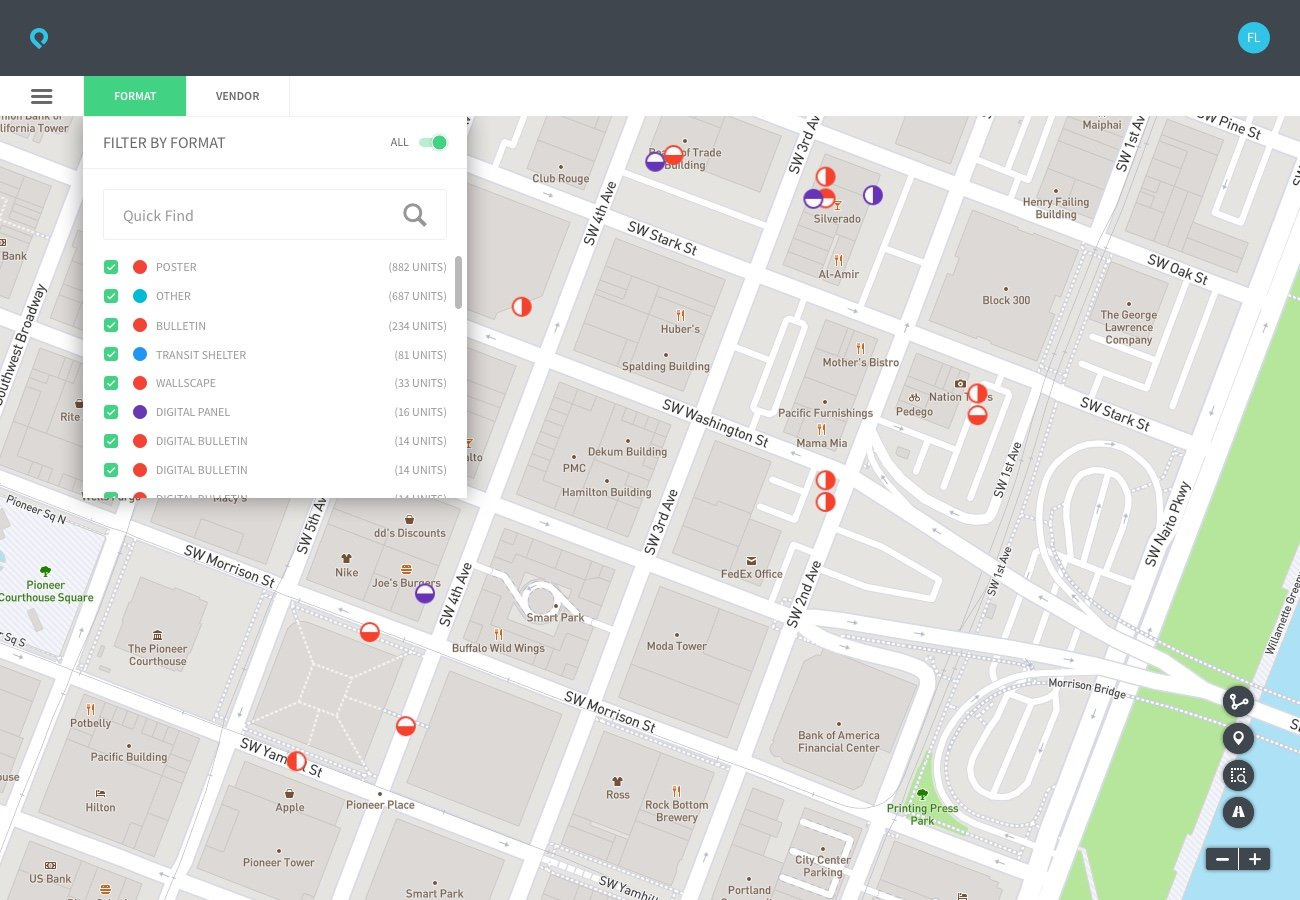
Every type of data mattered to someone, but not to everyone at the same time. A media buyer running an affinity search needed heatmap, traffic, and demographic layers. A buyer checking placements needed facing direction and availability. Layers could be turned on and off, and the map showed or hid data based on what someone was doing when they opened it. That kept a dense dataset usable.
A visual system and voice for the product
I designed the color palette, the icons for billboard and kiosk types, and the visual language of the map, aiming for a level of craft that other tools in the category didn’t have. I worked with the branding team on the mark, type, and tone of voice, and wrote most of the instructional and system copy myself. The goal was copy that felt professional and human, not like typical enterprise software.
Designing in high fidelity with a symbol library
Instead of traditional wireframes, I built a library of Sketch symbols with the team as we designed. That let us change layouts, colors, and field sets across many screens without starting over each time.
Learnings
With this much data, deciding what the map should show for each task mattered more than the design of any single layer.
The symbol library let us move quickly on high-fidelity screens while we were still learning the category.
With more time, I would have tested the map with media buyers on live campaigns, and tracked how often they changed layers, to see which defaults held up.