2026 · Founder, Designer, and Developer
- Domain
- Live music touring, Operations and logistics, Scheduling, Finance and settlement
- Surface
- Mobile, Tablet, Web
- Tool stack
- Figma, Cursor
All Access, Tour App
All Access is a tour management app made for small and mid-size tours. I designed and built it in the weeks before my own band went out on a fall 2026 U.S. tour, and I used it to run the tour. It started as a test of whether I could take a full product into production on my own, hold up against the competition, and maybe release it to the public.
Results and outcomes
-
11
States: OR, WA, CA, NV, AZ, TX, MO, OH, MI, WI, and IL
-
19
Days from first commit to first show
-
20
Features added from hotel rooms, a 15-passenger Sprinter van, and dingy green rooms
The first commit went out on August 18, 2026. Nineteen days later, the band played the first show of a 17-show run, from Portland down the West Coast, across Texas, and up through the Midwest to Madison, and the tour ran on All Access. I kept building on the road.
Of the app’s 251 commits, 114 went in between the first show and the last. By the end of the tour, the app was in great shape and kept track of all the important things: routing, accounting, schedules, guestlists, and more. I felt the app was a success and could easily compete with similar apps on the market.
While I was on the road, I demoed the app for other artists and touring musicians. They all loved it and were very encouraging, with one big negative: AI. When I got to the part about how it was built, there was immediate skepticism, which left the app where it is today, a lab demo on my portfolio site. Maybe someday I will shop it around. Or if anyone out there runs into it and is interested in chatting about it, let’s talk!
Opportunity
On a club tour, the information tends to end up spread across spreadsheets, email threads, texts, and receipts. I needed one place to invite the touring party, turn on only the features that the run needed, and keep money behind a permission.
Before building past the basics, I wrote a competitive analysis of 10 tour apps, from free day-sheet tools to Master Tour. Club-level tools were weaker than their marketing, and most of them model one touring party per date. Club tours are usually co-bills, with a headliner and one or two support acts sharing the night.
That gap became the brief: a crew app for small and mid-size tours, built around the lineup, with the day sheet, guestlist, and simple books on the phone. Not another itinerary, and not a replacement for Master Tour.
Constraints
The tour dates were set, so the app had a hard deadline. Anything not working by the first show would be working on the road, between soundchecks.
It had to work on a phone, in a club, often with bad signal and one free hand. The tab bar, the day sheet, and the guestlist all had to be reachable with a thumb, and nothing important could hide behind hover.
It also had to stay small. Merch sales and stock already live in Square, so All Access reads Square into the books instead of becoming a register. Booking, settlement math, and arena production were out of scope.
Decisions
The tour is the spine
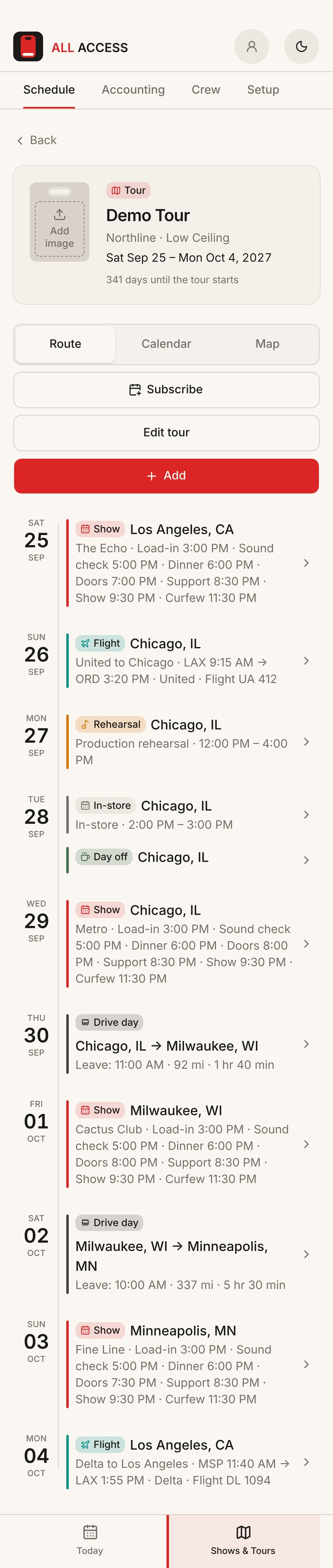
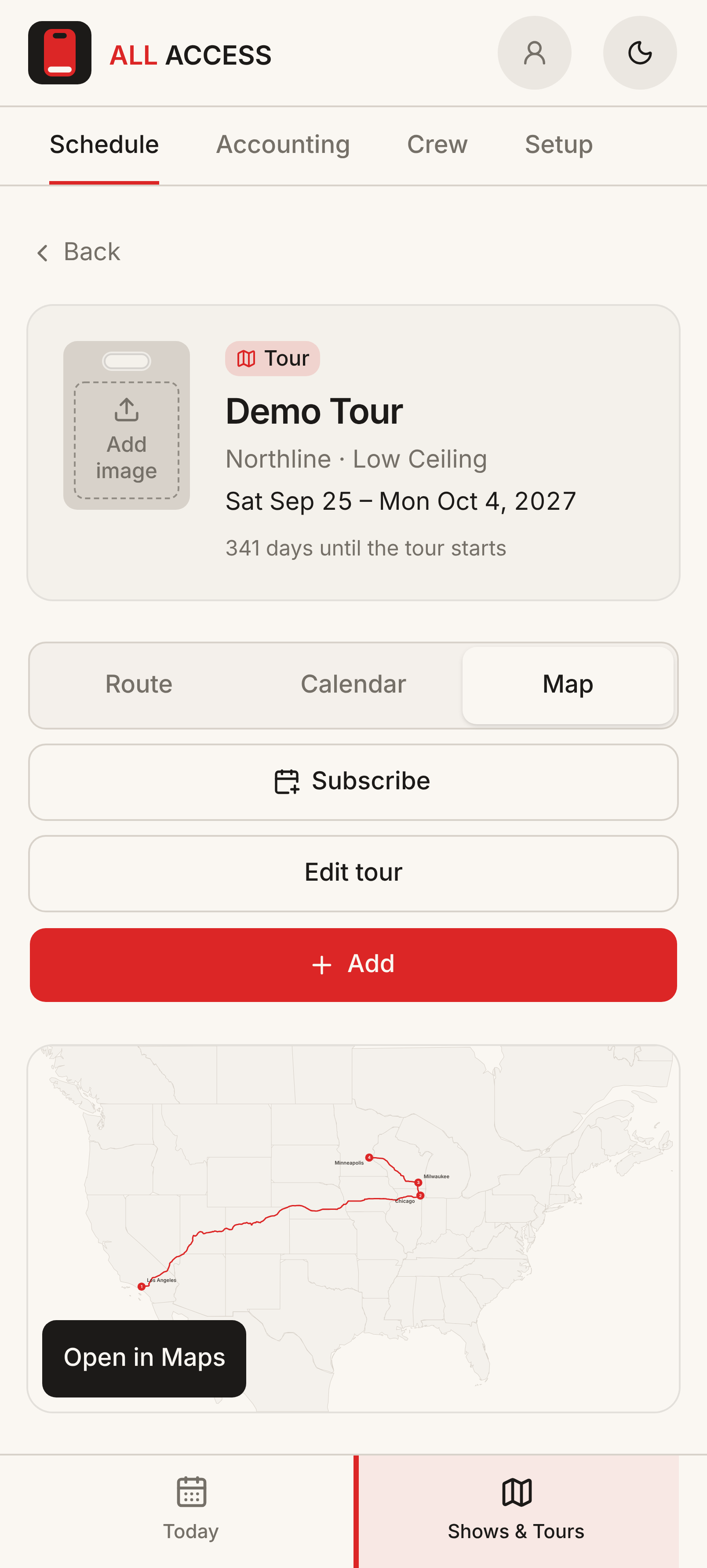
Everything hangs off the tour. A tour carries a lineup with billing, and each band gets its own crew, guestlist allotment, and travel on the same show. Shows, rehearsals, flights, drive days, and days off all sit on one schedule, which the crew can read three ways: Route for the next few days, Calendar for the shape of the month, and Map for where the van is going. Drive days carry the leave time, distance, and drive time, and can hold the hotel for the overnight.
Tours, Route, Calendar, and Map
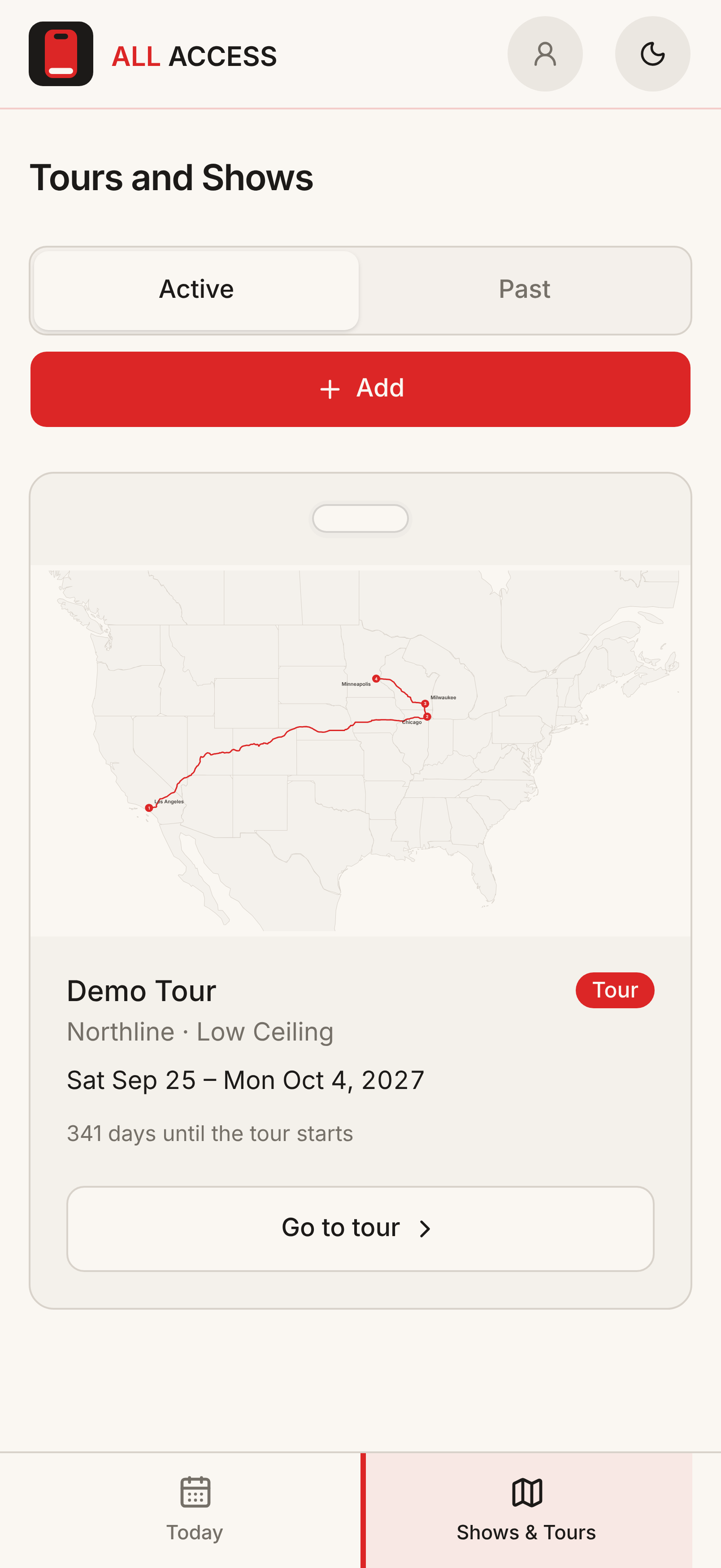
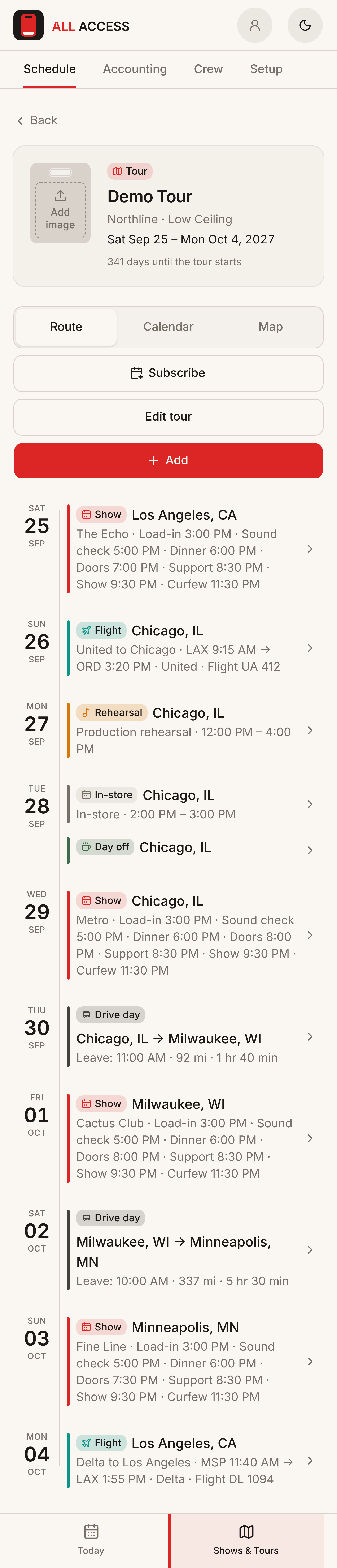
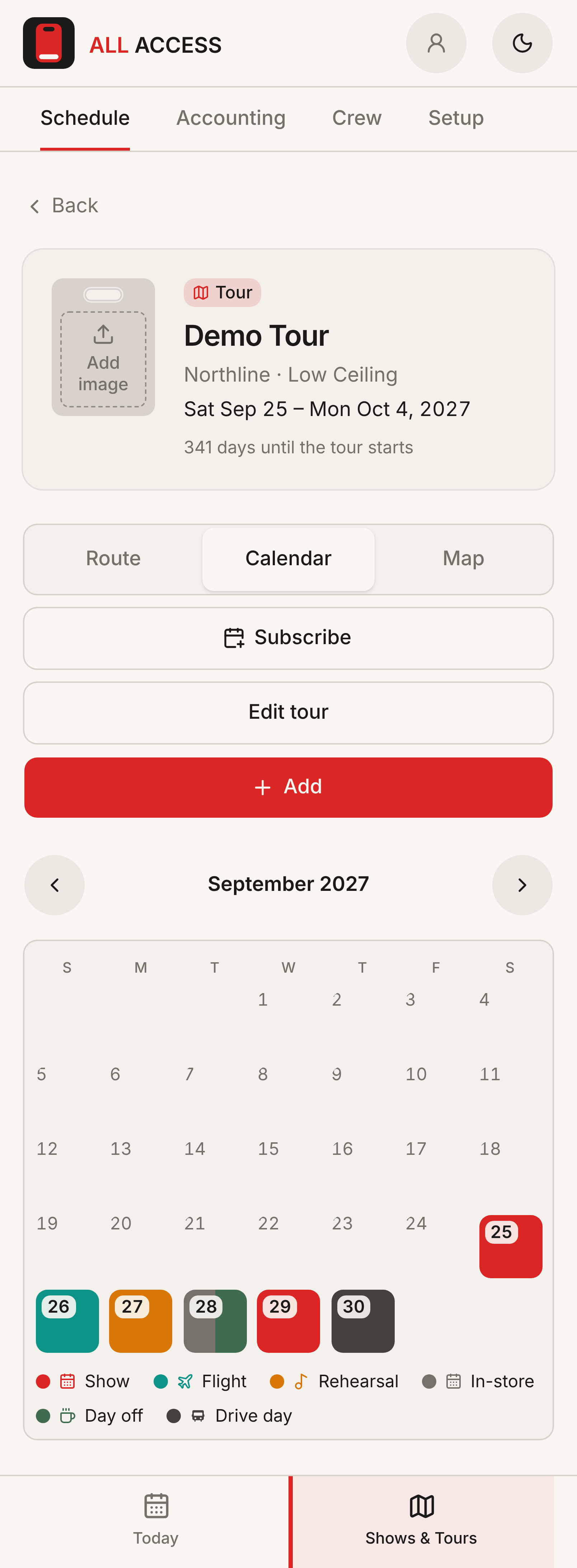
Scroll for full image
Swipe to change screens
Tours and shows 01/04
Show day on one page
On a show day, the crew wants one page. The day sheet runs in the order a tour manager advances a show: lineup, call times, venue, contacts, lodging, hospitality, then the guestlist and the night’s net. It goes out as text, email, a no-login link, a PDF, or a printout for the venue. Private details like the lodging address and Wi-Fi are left off the shared link.
Money behind a permission
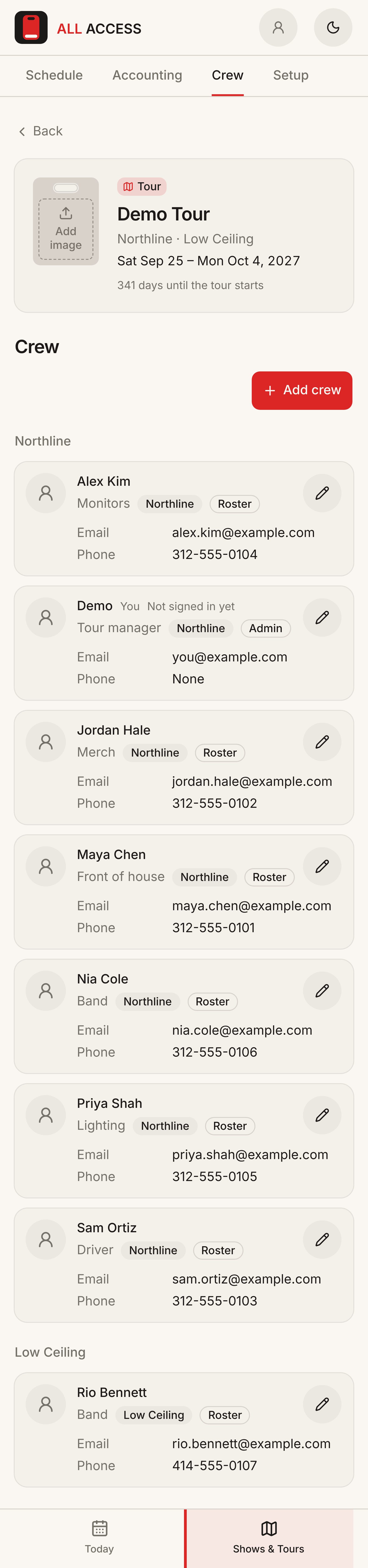
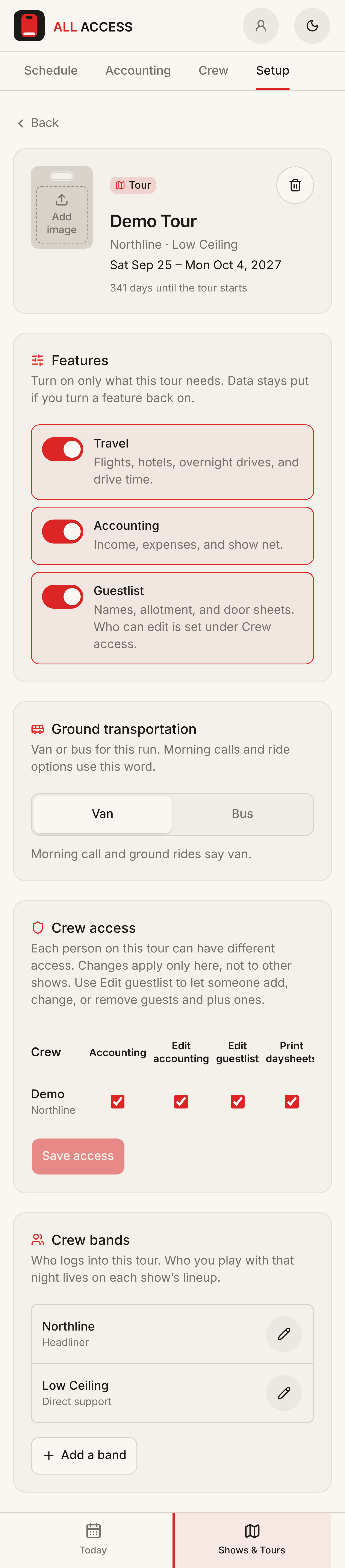
Not everyone on a tour should see the money. Each person gets their own access to accounting, editing the books, editing the guestlist, and printing day sheets. The ledger shows tour net and gross, show and merch income, and net per show, and exports to CSV. Each tour can also turn travel, accounting, and guestlist on or off, so a one-off show doesn’t carry the weight of a full tour.
Day sheet, accounting, crew, and setup


Scroll for full image
Swipe to change screens
Day sheet 01/04
Tokens before screens
I wrote the design system before the first screen: primitive, semantic, and component tokens in warm gray, cream, and crimson, with light and dark modes and a WCAG 2.2 AA target. Primitive values never go in components. With that in place, Cursor could build new screens that already looked like the app, and a change to a token changed it everywhere.
Route view on desktop
Learnings
Using it every day on tour was the best usability test I could have asked for. The first weekend turned up a tab bar that sat wrong when the app was opened from the iOS home screen.
The first week brought guestlist editing and plus-ones. By the second weekend, the day sheet had a no-login share link, and the guestlist had pass types, a cutoff, and a box-office PDF. Square fees became expense lines on each show, and a keyboard bug got fixed in Chicago, one night before the last show.
I have been doing music tours for 30+ years, and building this app gave me new perspectives and showed me that there is always more to learn. It also gave me the opportunity to keep growing my skills with AI tools.
My biggest takeaway, however, was that a lot of people are not ready for AI-built software. There is a lot of fully warranted worry and skepticism. Despite my ability to use AI to build things, right now it’s just another tool, and I hope it stays that way for now.
Want a closer look?
If you’d like to see more, or try a demo of the app, get in touch on LinkedIn.